
AI Risks at Your Company: A Guide to Not Crashing and Burning
An honest guide to AI risk in the workplace: where it can go wrong, how to contain it, and what to check before committing budget. No hype.
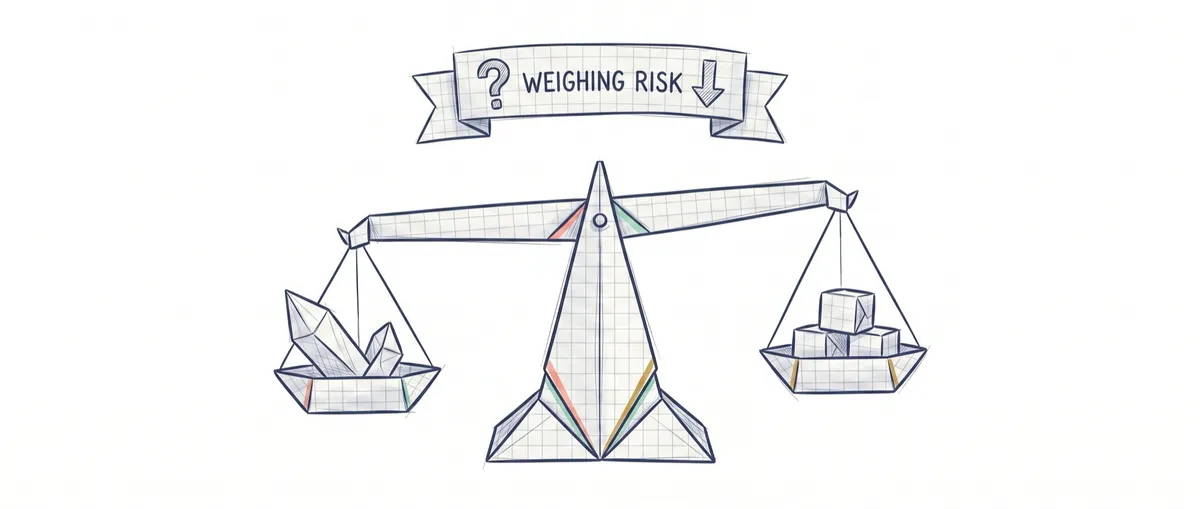
The biggest risk of putting AI into your business isn’t that the machine wakes up one day and rebels. That’s science fiction. The real risk is far more boring and far more likely: using it with total confidence for a task where an answer that sounds perfect, but is false, costs you money, a customer, or a legal mess.
The good news is that this risk is manageable. It doesn’t go away if you stop using AI, because your competitors will use it anyway. You manage it by choosing carefully which task you put it on and by putting controls around it. AI isn’t dangerous by itself. It’s dangerous when you turn it loose without judgment on the wrong task. This guide is the full map for deciding, with a clear head, where it belongs and where it doesn’t, and what to check before signing a budget or feeding your customers’ data into a tool you don’t control.
What Risk Are We Actually Talking About?
The risk actually worth worrying about has little to do with AI thinking for itself and a lot to do with it being wrong with a confidence that’s misleading. Before we go on, it’s worth grounding three words you’ll hear in any meeting about this, without the jargon.
When someone says “AI” for office tasks, they’re almost always talking about an LLM, the text engine behind ChatGPT: a system trained to predict the most probable next word from what you type. It doesn’t look things up in a database of facts. It composes the answer that statistically fits. Most of the time it gets it right, which is why it’s so useful. But that same mechanism is what produces the problem.
That problem has a name: hallucination. It’s when the system makes up a fact (a figure, a clause, a name, a reference) and presents it with the exact same confident tone it uses for a correct one. There’s no visible signal telling invented from true apart. A new intern at least hesitates and asks. The model doesn’t hesitate: it fills the gap and moves on.
And there’s a third idea that changes how you should treat these tools: the lack of determinism. Determinism means the same question always gets the same guaranteed answer, like a calculator. Generative AI doesn’t offer that. You can ask it the exact same thing twice and get two different answers, both plausible. For brainstorming, that’s fine. For calculating payroll, it isn’t.
With those three pieces in place, the real risk becomes clear and stops being movie-scary. It comes down to four concrete things: errors delivered with total confidence, sensitive data that leaks out because you fed it into someone else’s tool, decisions that end up with nobody accountable for them, and a slow-building dependency on a vendor that’s hard to leave later. No conscious robots. Just expensive office mistakes.
The Zones Where You Shouldn’t Leave AI on Its Own
There are tasks where generative AI shouldn’t make the final call on its own, no matter how good its answer looks. Not because the AI is bad, but because the task doesn’t tolerate the kind of error it makes. There are three red zones.
The first is when an exact result is mandatory. Invoices, payroll, legal calculations, prices, dosages, quantities. Here, plausible isn’t good enough. You need correct, and generative AI gives you the former. It can write an invoice with a VAT rate that sounds reasonable and is wrong, and you won’t notice because the document looks flawless.
The second is when the error is irreversible. Sending money, deleting data, emailing your entire customer base, publishing something. If the action can’t be undone, a one-off mistake stops being an annoyance and becomes damage you can no longer take back. AI gets it right almost every time. “Almost every time” is a disaster waiting its turn when every failure is final.
The third is when there’s legal or safety liability involved. Medical, legal, or financial advice, and any decision that affects a person’s rights: hiring, firing, granting or denying credit. Here it’s not just the error that matters. It’s who’s accountable when there is one. A model doesn’t sign anything, doesn’t hold a license, doesn’t go to court. You do.
| Red zone | Why it’s dangerous | What to do instead |
|---|---|---|
| Exact result is mandatory (invoices, payroll, calculations) | It gives you something plausible, not something guaranteed, and the error disguises itself as a correct document | Let AI prepare the draft, and have a person (or a deterministic system) validate every number before it counts |
| Irreversible error (sending money, deleting, communicating) | A one-off mistake can no longer be taken back | Add a human confirmation step before the action, and keep a record of everything |
| Legal or safety liability (health, law, money, personal rights) | A model isn’t accountable to anyone when it’s wrong | A professional makes and signs off on the final decision; AI at most documents or summarizes |
Each of these zones deserves its own deep dive, with more examples and nuance. I’ve covered that in detail in when NOT to use AI in your business, which is the natural continuation of this section. But to decide day to day, you don’t need to memorize zones. You need four questions.
Four Questions Before Putting AI on a Task
Before automating anything with AI, ask yourself four questions and answer honestly. They’re the operational summary of everything above, and they work for a task that’s already in front of you without having to classify anything.
- What happens if it’s wrong? Not “if,” but “when.” Picture the worst plausible outcome and give it a face.
- How much does that error cost? An email with a typo costs an apology. A misdirected payment costs money and trust. Put the error in euros, in customers, or in reputation.
- Is it reversible? If you can undo it in two minutes, the risk drops a lot. If not, it climbs.
- Who’s accountable? There must be a specific, named person who answers for the result. If the answer is “the AI” or “nobody,” you’ve found the problem before you’ve even started.

If all four answers leave you at ease, go ahead. If even one makes you nervous, you already know where to add the control. The full breakdown of this framework, with examples by task type, is in the four questions before using AI.
These questions tell you whether the risk is acceptable. The next part tells you how to lower it once you decide to go ahead.
If You Decide to Use It, Here’s How to Contain the Risk
Using AI safely isn’t about crossing your fingers — it’s about surrounding the tool with cheap controls that turn a mistake into a scare with no consequences. There are four that cover almost everything, and you don’t need a technical team to demand them.

The first and most important is human in the loop: a person reviews and approves before the result takes effect. AI proposes, a person disposes. And a quick once-over at the end of the month doesn’t count — it has to be a mandatory step between “the AI produced this” and “this goes out into the world.” If a vendor is selling you a system that acts on its own in a sensitive area, that’s the question you need to ask: where’s the approval button?
The second is validation: checking what the AI says against a reliable source before accepting it. If it summarizes a contract, someone looks at the contract. If it gives you a figure, someone checks it in the system where that figure actually lives. AI speeds up the draft. It doesn’t replace the check.
The third is reversibility: setting things up so almost everything can be undone. Keep versions, avoid permanent deletion, send in draft mode before final mode. An error you can walk back stops being a serious risk.
And the fourth is bounded scope: start with a small, low-impact, easy-to-monitor task instead of turning AI loose on your most critical process. You learn how it fails somewhere failing doesn’t hurt, and only then do you expand.
Before approving any use of AI in your business, check this list:
- There’s a specific person who reviews and approves before the result takes effect
- Every important piece of data or claim is validated against a reliable source
- The action can be undone, or at least there’s a record of what was done
- You’re starting with a low-impact task, not the most critical one
- You know what data goes into the tool and where it ends up
- There’s a named person accountable for the result, not “the system”
With these controls, most of the uses that seem scary become perfectly manageable. But there’s one risk they don’t fix, and almost nobody warns you about it.
The Risk Nobody Talks About: The Messy House
AI doesn’t tidy up a disorganized business. It speeds it up. If your data is messy, your processes live in three people’s heads, and nobody knows for sure who decides what, layering AI on top doesn’t fix any of that. It just makes it run faster.
Think of it this way. A spreadsheet with duplicate customers, misspelled addresses, and half-filled fields is a manageable problem as long as you work it by hand, because you catch things as you touch them. The moment you put an AI to work generating answers or decisions from that data, you multiply the errors at machine speed — and on top of that, wrap them in polished-sounding text that makes them look trustworthy.
The same goes for processes. If it’s not written down who approves a discount, AI isn’t going to guess it right. It will propose something plausible, someone will sign off on it because it came “from the system,” and you’ll have automated a decision that was never actually clear. Automating a confusing process gets you confusion, fast.
The takeaway isn’t to wait five years until everything is perfect. It’s that before you bring in AI, get the specific corner where you’ll use it reasonably in order: know where the data comes from, who decides, and what a good result is supposed to look like. You don’t need the perfect process. You need a defined one.
What About the Legal Side? GDPR and the AI Act Without a Law Degree
In Europe, AI use has a legal framework, and it’s worth looking at it before you deploy, not after something goes wrong. Without needing to become a lawyer, there are two regulations that apply to you.
The first is the European AI Regulation, the AI Act, formally Regulation (EU) 2024/1689 [1]. Its core idea is simple: not all AI uses are equal, so the law classifies them by the risk they pose to people. They range from outright prohibited uses, through high-risk uses with strict obligations (for example, systems that influence hiring or access to services), down to uses with minimal requirements. I won’t give you the closed list or exact deadlines here, because the details change case by case, and what matters is knowing that scale exists and that your use falls somewhere on it. There’s also a transparency obligation that applies directly if you put AI in front of customers: when someone is talking to a chatbot or receiving machine-generated content, you have to tell them. People have a right to know they’re not dealing with a human, and hiding it exposes you.
The second is the GDPR, the General Data Protection Regulation, which you already know from any digital operation. It still applies in full to the personal data you feed into these tools. When you paste a customer’s record, a résumé, or a history into a third party’s AI chat, you’re processing personal data, and that comes with rules: what you can use it for, where it ends up, who sees it. “I just had ChatGPT summarize it” doesn’t exempt you from anything.
None of this is legal advice — it’s just a heads-up that the legal terrain exists and needs to be walked carefully. Before making decisions with legal implications, consult a professional who knows your specific case.
How to Draw Your Own Risk Map
The concrete next step after reading this is to stop thinking about “AI” in the abstract and instead inventory your tasks, one by one, marking which ones fall in the red zone and which don’t. That’s a risk analysis, and it’s simpler than it sounds: you take your processes, apply the four questions to each one, and note what control each task needs before you touch it. The step-by-step version, with a template you can use yourself, is in how to do an AI risk analysis for your business.
That work of looking at each task with judgment, deciding where AI fits and where it doesn’t, and putting the right control in place, is exactly what we do step by step in the course AI Without the Hype: built for people who make decisions in a business, no code and no guru promises. If you want the full framework with exercises on your own cases, that’s the place.
Sources
- Regulatory framework on AI — European Commission, Digital Strategy. Official name of Regulation (EU) 2024/1689 (the AI Act) and its classification of AI uses by risk level.
Frequently Asked Questions
Will AI Replace My Employees?
In most businesses, it doesn’t replace jobs — it changes tasks. AI is good at the repetitive work of drafting, summarizing, or searching, and bad at work that requires judgment, accountability, and context about your business. The realistic outcome is that your people spend less time on the mechanical stuff and more time reviewing, deciding, and dealing with customers. Framing it as “layoffs” is usually the fastest way to make a bad call here.
Is It Safe to Put Customer Data into ChatGPT?
It depends a lot on which version you use and what data you put in, and by default it’s safer to assume it isn’t. Your customers’ personal data is protected under the GDPR, and pasting it into a third party’s tool is data processing with its own rules.
Before you do it, you need to know where that data ends up, whether it’s used to train the model, and whether you have a legal basis for processing it that way. For sensitive information, the prudent rule is to anonymize it, or simply not put it in until the conditions are clear.
Do I Need a Technical Expert to Get Started?
For simple office tasks, no — you need more business judgment than technical knowledge. A technical expert only becomes necessary when you move from using a tool to integrating it into your systems or automating decisions.
How Much Does Using AI at a Company Actually Cost?
The tool’s price tag is usually the small, visible part. The real cost is in what doesn’t show up on the invoice: the time your people spend reviewing what it produces, redesigning processes so AI fits in, and the cost of errors that slip through if you don’t put controls in place. That’s why I can’t give you an honest number without knowing your case. Anyone who promises you exact savings before looking at your processes is selling, not advising.
Where Do I Start Without Taking a Risk?
Pick a single repetitive, low-impact, easy-to-review task, where a mistake would be noticed right away and can be undone. Drafting first versions of internal emails or summarizing long documents are good candidates. Put a person in charge of reviewing before anything goes out, measure it for a few weeks, and only then decide whether to expand. Starting small lets you learn how the tool fails somewhere that failing doesn’t cost you much.
Related articles

When NOT to use AI in your company (and when it's just not yet)
When not to use AI in your company: the three zones where it must never decide alone and the 'not yet' case. A clear way to decide, no hype.
AI Risk Assessment: The 5-Step Method Before You Approve
How to run a risk assessment before rolling out AI in your company: what can go wrong, impact, likelihood, mitigation and owner, all in one table.

4 questions before rolling out AI in your company
The 4-question framework to approve, condition, or reject an AI project without being technical. Cost of error, control, return, and accountability.