
MCP vs API: differences and when to use each one
MCP doesn't replace your REST API: it wraps it so an agent can discover its tools on its own. Comparison and when to use MCP, API, RAG, or function calling.

MCP (Model Context Protocol) and a REST API aren’t competitors: they live in different layers. A REST API exposes functionality for a developer to integrate by reading documentation. MCP exposes that same functionality in a format a model discovers and executes on its own, at runtime, without anyone explaining beforehand what each endpoint is called.
The real question once you already have a backend in place is usually different: if my API works, why spin up an MCP server on top of it? The short answer is that you save yourself writing a custom integration for every client that wants to use it. The long answer takes up the rest of the article.
MCP vs REST API, side by side
| REST API | MCP Server | |
|---|---|---|
| Intended consumer | A developer who reads the docs and writes the client | An LLM client that reads the tool catalog while running |
| Discovery | Outside the protocol: OpenAPI, a README, a Postman collection | Inside the protocol: tools/list returns name, description, and inputSchema as JSON Schema [1] |
| Format and transport | HTTP with verbs and routes, each API with its own conventions | JSON-RPC 2.0 over stdio or Streamable HTTP [1] |
| State | Stateless by design | Stateful connection: an initialize handshake negotiates protocol version and capabilities before anything else |
| Catalog changes | You version it, publish a changelog, and wait for clients to find out | The server emits notifications/tools/list_changed and the client re-fetches the list |
| Authentication | Whatever you decide: API key, JWT, OAuth | Over HTTP the spec fixes OAuth 2.1, with the MCP server acting as the resource server (the one that validates the token, not the one that issues it) and mandatory PKCE verification in the exchange [2] |
| Where it shines | Stable contracts, fine-grained control, clients you write yourself | Many different clients using the same tools you built |
The row that really separates the two is the second one. Everything else follows from it.
Why a model can’t just read your docs
A model can only call what’s described in its context at that moment. Your OpenAPI documentation lives on a web page, not in the context window, and even if you paste it in whole you burn thousands of tokens on schemas it probably doesn’t need for today’s task.
MCP moves that description inside the protocol. The client asks for the catalog, the server responds, and each tool arrives with everything the model needs to decide whether it’s useful:
{
  "tools": [
    {
      "name": "get_weather",
      "description": "Get current weather information for a location",
      "inputSchema": {
        "type": "object",
        "properties": {
          "location": { "type": "string", "description": "City name or zip code" }
        },
        "required": ["location"]
      }
    }
  ]
}
That description isn’t documentation. It’s the interface. The model picks the tool by reading that sentence and nothing else, so a vague description produces exactly the same symptom as a bug: the right tool exists and never gets called. On the MCP server I publish for this blog, the tools that caused trouble weren’t the ones with complicated logic — they were the ones with a three-word description because the name felt “self-explanatory.”
Underneath all of this there’s usually just your regular API. An MCP server is typically a thin layer that translates tools/call into an HTTP request against the backend you already have. If you want the step-by-step on setting one up, it’s in the guide to what MCP is and how to build your first server.
MCP vs function calling: same mechanism, different contract
Function calling and MCP aren’t alternatives. Function calling is the model’s ability to respond “I want to execute this function with these arguments”; MCP is a protocol for publishing which functions exist and how to execute them. When you use MCP, function calling is still happening underneath.
The difference is who defines the contract. Without MCP, each provider sets the format:
// The same tool, defined for two different providers
const anthropicTool = {
  name: 'get_weather',
  description: 'Devuelve el tiempo actual de una ciudad.',
  // Anthropic calls the arguments' JSON Schema input_schema
  input_schema: { type: 'object', properties: { location: { type: 'string' } }, required: ['location'] }
}

const openaiTool = {
  type: 'function',
  name: 'get_weather',
  description: 'Devuelve el tiempo actual de una ciudad.',
  // OpenAI calls it parameters
  parameters: { type: 'object', properties: { location: { type: 'string' } }, required: ['location'] }
}
Two different keys for the same thing, and each SDK with its own way of handing you back the call and receiving the result (in Anthropic’s API, a tool_use block on the way out and a tool_result on the way back). Multiply that by every client that wants to use your tools and you’ve got the exact problem MCP exists to remove: the definition is written once on the server, and adapting it to each provider’s format becomes the client’s job.
With two tools and a single client, that gain doesn’t exist. With twelve tools and three clients, it’s the difference between maintaining one thing or twelve times three.
MCP vs RAG: different layers of the same agent
RAG and MCP answer different questions. RAG solves “what information does the model need to answer”: you retrieve relevant chunks and put them in the context (if the mechanism isn’t clear yet, I explain it from scratch in what RAG is). MCP solves “what can the model do to external systems”: create the ticket, move the file, trigger the deployment.
A real support agent uses both in the same turn. It retrieves the return policy that applies to that order, then executes the return. Remove either layer and it limps: without retrieval it answers from memory and makes up the policy, without execution it answers you beautifully and does nothing.
And they can nest. A semantic search over your knowledge base can be exposed as just another MCP tool, with an inputSchema that takes the query. There, RAG runs inside MCP, without the model ever needing to know there are embeddings involved.
When should you use each one?
You already have an API and want an agent to use it. Wrap it in an MCP server instead of rewriting it. The logic, permissions, and validations stay where they are; the server just publishes the catalog and translates calls. Start by exposing the four or five operations the agent actually needs, not the forty the API has.
You’re building from scratch and several clients will use the same tools. MCP pays off from day one here. If an IDE, your own agent, and some desktop client are all going to consume your tools, writing the definition once and having all three discover it on their own is exactly the use case the protocol was designed for.
A single client you control, with two or three tools. Direct function calling against the model’s API. An MCP server here is just another process to spin up, another handshake to debug, and no upside in return.
You only need the model to answer questions about your documents. RAG and call it a day. There are no actions to execute, so there’s nothing MCP adds. If the first real action shows up later, that’s your cue to reconsider.
You’re already passing CLI commands to the agent and it works. If it’s your own machine and a single client, there’s no rush to migrate: MCP wins once those same commands need to be discovered and validated by several different clients without each one guessing the flags by hand (more on exactly what changes versus a CLI further down, in the FAQ).
If you’re making these decisions for the first time and want to practice them instead of just reading about them, the agentic patterns course walks through this kind of architecture decision with exercises instead of theory.
Two decisions that usually go wrong
Turning the entire API into tools
An MCP server auto-generated from a sixty-endpoint OpenAPI spec gives you sixty tools. Every one of them eats context on every turn, and the more similar-looking options you put in front of the model, the easier it is for it to pick the wrong one. Start with the operations the agent needs to complete a specific task and add from there. Once the catalog genuinely grows, there are strategies to avoid paying for all of it in context, like loading tools on demand or executing them from code instead of one at a time.
Writing descriptions for humans
update_record with the description “Updates a record” is a tool the model is going to misuse. It doesn’t know which record, when, or what happens if the field doesn’t exist. Write the description as if you were explaining it to someone who’s going to use the function without seeing the code: what it does, when it makes sense to call it, and what it returns. It’s the place where half an hour of work changes the agent’s behavior the most.
Checklist before you build an MCP server
- There’s more than one client (current or planned) that will use the same tools
- The exposed operations are actions, not document lookups that RAG already handles
- Every tool has a description that explains when to use it, not just what it does
- The
inputSchemamarks required fields and describes every property - Authentication and permissions still apply in the backend, not just at the MCP layer
- The catalog starts small and grows based on what the agent fails at, not what the API has
Sources
- Model Context Protocol — Specification 2025-06-18 — the protocol’s foundation (JSON-RPC 2.0, stateful connections, capability negotiation), stdio and Streamable HTTP transports, and the format of
tools/listandtools/call. - Model Context Protocol — Authorization — the MCP server as an OAuth 2.1 resource server, protected resource metadata (RFC 9728), and mandatory PKCE on HTTP transports.
Frequently Asked Questions
Does MCP replace REST APIs?
No. An MCP server almost always sits on top of an API that already exists: it receives the model’s call and translates it into HTTP requests against your backend. What it replaces is the custom integration you’d otherwise have to write for every LLM client.
What’s the difference between MCP and RAG?
RAG retrieves information and puts it in the model’s context so it can answer better; MCP gives it the ability to execute actions on external systems. They’re not mutually exclusive, and a production agent usually needs both. In fact, a RAG search can be exposed as just another MCP tool.
Are MCP and function calling the same thing?
Not exactly. Function calling is the model’s mechanism for requesting the execution of a function with some arguments, and it exists in provider APIs with different formats between them. MCP is the protocol that standardizes how those functions are published, discovered, and executed, so the same server works with any compatible client. When an agent uses MCP, function calling is still happening underneath.
MCP vs CLI: what do I gain over just giving the agent a CLI?
A CLI also lets the model act, but the contract is implicit: it has to get the flags right and then interpret output text meant to be read in a terminal. With MCP, arguments come validated by a JSON Schema and the result arrives structured, so there’s less room for the agent to guess wrong. A CLI is still perfectly reasonable for one-off tasks on your own machine.
Related articles
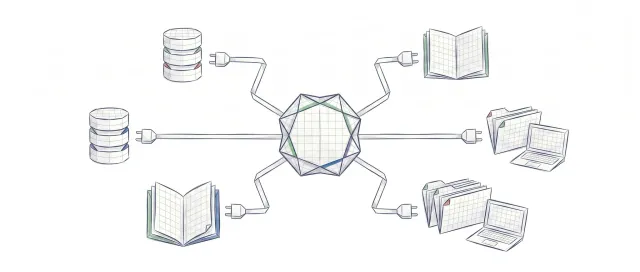
What is MCP: the protocol connecting AI agents with tools
MCP (Model Context Protocol) standardizes how AI agents connect to external tools. Explanation with line-by-line commented Python examples.
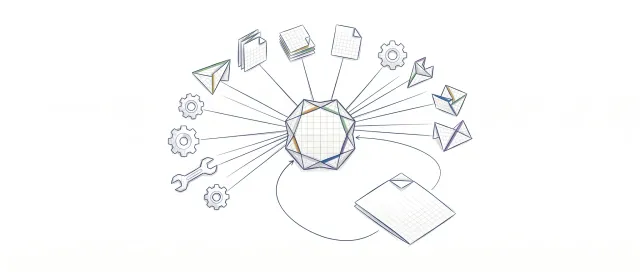
Programmatic Tool Calling : Step-by-Step Implementation
Hay una técnica que permite ejecutar docenas de herramientas en paralelo sin que el modelo vea ningún resultado intermedio. Nadie habla de ella porque está enterrada en la especificación. Cuando la descubras, vas a replantear cómo diseñas cualquier pipeline de agentes.
40% of AI Agent Projects Will Be Canceled Before 2027. Here's Why
Gartner predicts over 40% of enterprise AI agent projects will be canceled before 2027. Tool loop, prompt injection, and MCP explained without the hype.