What Is a Claude Project? How It Works and When to Use One
A Claude Project is a space in claude.ai and the app that stores instructions, files, and memory that each chat reuses without you having to re-explain anything.
Contributors: Ivan Garcia Villar
A Claude Project is a workspace within Claude (on the web at claude.ai and also in the Claude app) where you save fixed instructions and files, and each new chat you open there reuses them without you having to re-explain anything. It lives in your Claude account and requires no coding: you just need an account.
If you’ve used Claude before, you know the problem. You open a chat, explain who you are, what project you’re working on, and what tone you want. It responds well. Tomorrow you open another chat and start from scratch again, because it doesn’t remember anything. A Project solves exactly that. The step-by-step setup guide is in the practical guide to configure it; this is the mental model.
What Is a Claude Project?
A Claude Project is a workspace within Claude, available on the web at claude.ai and in the app, that combines custom instructions you write once and knowledge files you upload; each chat you open inside inherits that context without you having to repeat it.
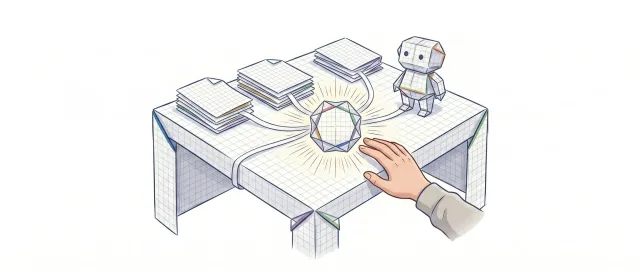
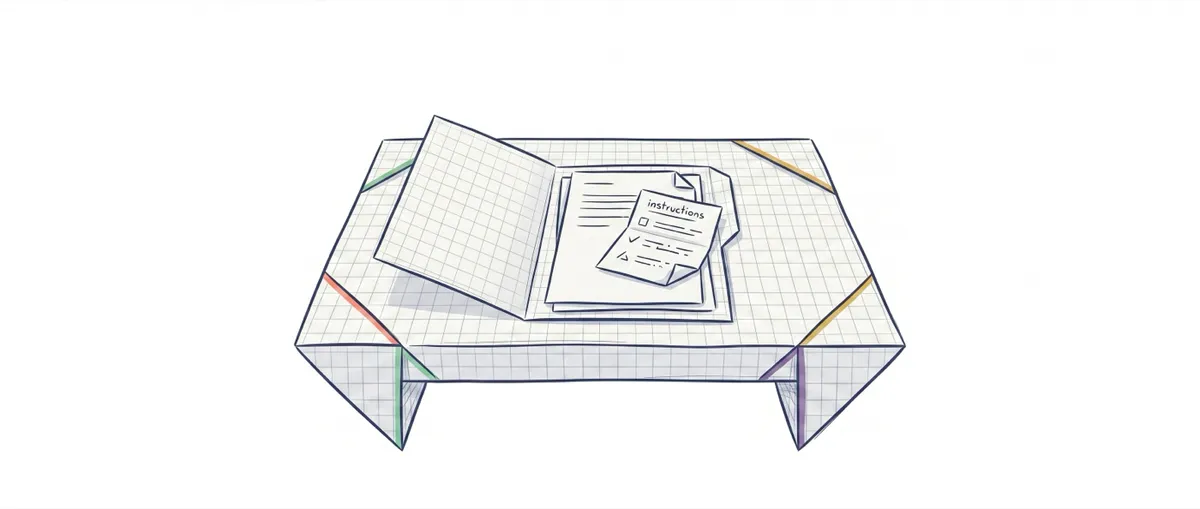
Think of it as your own desk. A normal chat with Claude is a shared desk that gets cleared the moment you leave: the next person finds it empty. A Project is your fixed desk. You leave your notes and documents on it, and when you come back they’re still there.
The important part is that a Project isn’t just a longer chat. It’s where your chats live. Within the same Project you can open ten different conversations, and all ten start from the same context you configured just once.
Persistent Memory Across All Your Conversations
To understand a Project, separate what gets saved permanently from what changes in each conversation. The good news is that almost everything important stays saved.
Instructions and files. Custom instructions are text where you tell Claude the context that repeats: who you are, what you work on, what tone you prefer, what rules it should follow. Claude reads it at the start of each conversation you open in the Project, automatically. If you work with code, this is closest to a system prompt: the background instructions the model receives before your first message. You don’t need to know what a system prompt is to use it; just write the text.
Knowledge files work similarly. You upload documents (a PDF, a manual, notes, a style guide) and Claude consults them only when relevant, without you having to paste the content in every message. It’s like having those papers on your desk: they’re there if needed.
Project memory. Beyond instructions and files, each Project has its own memory. Claude learns what repeats within that Project (your preferences and corrections or rules you give it over and over) and remembers it in following conversations, without you explaining it again. That memory is exclusive to that Project: it doesn’t mix with your other Projects or standalone chats, and you can review or disable it from Claude’s settings. It’s a recent feature that Claude has been rolling out throughout 2026, so depending on your plan you might already have it or it may be coming soon.
It’s worth being clear on one thing: that memory isn’t a literal recording of each chat. Claude doesn’t paste the entire text from Monday’s conversation into Wednesday’s. What it keeps is what actually matters in the Project (the base context, your preferences, and what it’s learned with you), not the transcript word for word. Still, the effect for you is an assistant that already knows you within that Project.
What’s fixed is the framework: instructions, files, and Project memory. What varies is each conversation you open within it.
Claude Project vs. a Normal Chat
| Normal Chat | Claude Project | |
|---|---|---|
| Context Instructions | You repeat them in each chat | You write them once and they’re inherited |
| Files | You paste or upload them in each conversation | Uploaded once, available in all Project chats |
| Memory | Doesn’t learn from one chat to another | Remembers your preferences and Project context |
| Scope | One standalone conversation | A space that groups many conversations |
For a quick question (“translate this,” “explain what a token is”), a standalone chat works fine. Setting up a Project for that is like booking a conference room to send a message. Projects shine when context repeats.
When It’s Worth Using One
A Project is worth it when you notice you’re copying and pasting the same context paragraph at the start of each chat. That’s the signal.
Typical cases: managing a study project with all your notes uploaded, always writing in the same brand voice, reviewing a codebase you’ve already explained to Claude, or keeping product documentation handy to reference. In each one you repeat a context. The Project fixes it once.
The practical question I ask myself is simple: am I going to return to this topic more than two or three times? If yes, I set it up as a Claude Project. If it’s a one-off thing, a normal chat is enough.
What you shouldn’t do is put unrelated things in the same Project. A Project is a context. If you mix your university notes with work documentation and a novel you’re writing, the instructions you gave it will pull one way while you ask about another. One Project, one topic.
Claude Projects vs. Claude Code
The most common confusion is mixing a Project with Claude Code. Claude Code is a terminal tool for programmers that edits files and runs commands on your computer. A Project lives in your Claude account (web claude.ai and app), you use it by typing in a chat box, and it doesn’t touch anything on your machine.
To use Claude Code you need to know how to code and work from the command line. To use a Project you just need to go into Claude (web or app) and type. They’re different products from the same company that share the model underneath, but the audience and use are completely different.
If you’re here looking to organize your work in Claude, you’re in the right place. If what you wanted was the programming tool, that’s Claude Code.
The Next Step
You now have the mental model: a Project is your fixed desk with instructions, files, and its own memory that each chat reuses, without stepping into Claude Code territory. To actually set it up (what to write in instructions, what files to upload, examples by profile), follow the practical guide to Claude Projects, which walks you through it step by step.
And if what you want is to understand the AI underneath (not just use Claude, but have judgment about what to ask it and when it gets things wrong) that’s the goal of the course AI Without the Hype. It’s designed for people who don’t code and want to build that judgment from scratch.
Frequently Asked Questions
Is a Claude Project the same as Claude Code?
No. A Claude Project is a Claude feature (web claude.ai and app) for organizing your chats with fixed instructions and files, and it doesn’t require coding. Claude Code is a terminal tool for developers that edits code on your computer. They share the model underneath, but they’re different products for different audiences.
Do Projects affect my normal chats outside the Project?
No. A Project’s instructions, files, and memory only apply within that Project: what you configure or what Claude learns in one doesn’t affect your other chats or other Projects.
Does Claude remember what we discussed in an earlier chat in the same Project?
More and more, yes. Beyond inheriting instructions and files, each Project has its own memory: Claude learns what repeats within the Project (your preferences, your corrections, the base context) and takes it into account in following conversations. What it doesn’t do is paste the literal transcript of each earlier chat. If you want to make sure specific data is always available, the most reliable approach is still to save it as a knowledge file or add it to the instructions.
Do I need to know how to code to use a Claude Project?
No. You just need a Claude account, free or paid, and know how to type in a text box. Uploading files and writing some instructions is all it takes. Claude handles the technical part.
How many Projects can I create or what file sizes are supported?
The specific limits (how many Projects, file size, which models) depend on your plan at claude.ai and Anthropic, and they change. For current details, check your Claude account directly or the practical guide, where setup is kept up to date.