
Claude Code vs Antigravity CLI: Which One to Choose
Antigravity CLI replaced Gemini CLI in June 2026. I compare the two terminal agents against Claude Code and when each one makes sense.
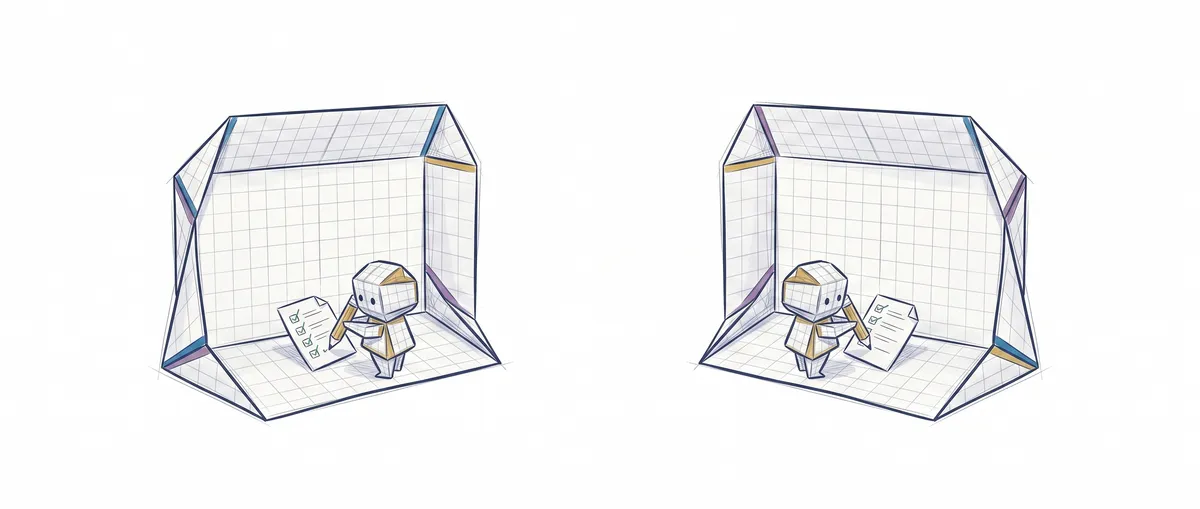
Antigravity CLI is the terminal agent Google used to replace Gemini CLI on June 18, 2026, and Claude Code is Anthropic’s agent, which has been established in real development workflows for longer. Both read your repository, edit files, and run commands while asking for your approval step by step. What differs is the default model, the ecosystem each one drags along, and the product stage each is at.
Quick comparison
If you’re coming from Gemini CLI and wondering exactly what you inherited, this table sums it up.
| Claude Code | Antigravity CLI | |
|---|---|---|
| Default engine | Claude models, with support for third-party providers | Gemini models, on the same agent harness as Google Antigravity 2.0 |
| Where it comes from | Started as Anthropic’s terminal tool and has since expanded into editor, desktop, and browser | Replaces Gemini CLI, which was shut down for Free, Pro, and Ultra users on June 18, 2026 |
| How it’s built | TypeScript, with automatic context compaction in long sessions | Rewritten in Go, starts faster and uses less memory than the old Gemini CLI |
| Extension ecosystem | Skills, hooks, and MCP for connecting external tools | Agent Skills, Hooks, Subagents, and Antigravity plugins (formerly Extensions) |
| Something the other doesn’t match | Half a dozen surfaces sharing the same session: terminal, editor, desktop, browser | Native scheduled tasks (/schedule, cron syntax) that keep running with the app closed |
Neither one is “just a CLI” in the strict sense. Both are the entry point to a larger agent platform, and both ask for permission before touching your machine. The real question isn’t which one automates more, but which ecosystem you already live in.
What Antigravity CLI is and where it came from
Antigravity CLI is the Go rewrite of the old Gemini CLI, and the binary you install is called agy. Google introduced it at Google I/O 2026 as the terminal gateway to Google Antigravity 2.0, a platform that also includes a desktop app and an SDK. The change wasn’t just another update — it was a shutdown. On June 18, 2026, Gemini CLI stopped responding for users on the Free, Pro, and Ultra plans, with no grace period, so any script or CI pipeline still invoking the gemini command started failing that same day.
What it inherits from Gemini CLI isn’t small: Agent Skills (reusable instruction packages), Hooks (local scripts that fire before or after the agent uses a tool, or when it decides it’s done), and Subagents, which can now be launched as asynchronous background tasks while you keep working in the main agent. The old Extensions were renamed Antigravity plugins — same concept, different name.
What it adds on top is scheduled orchestration: /schedule and a cron-like syntax let an agent run on its own after you close the app, built for recurring tasks (auditing dependencies every night, for example) rather than day-to-day interactive work.
Claude Code, the terminal that’s already been in production for a while
If you’re not familiar with Claude Code, I already explained what it is and how its read-decide-act loop works in more detail. What matters here is the contrast: while Antigravity CLI just launched, Claude Code has spent over a year as the tool real teams have wired into their git, their tests, and their CI.
That maturity shows in the operational details. The permission model, for instance, has gone through several iterations to reach today’s six modes, and as of August 14, 2026, the default mode for new sessions on the Pro, Max, and Team plans is no longer “ask before every action” — it’s an auto mode backed by a safety classifier that filters out risky actions. If you’re about to decide how much autonomy to hand the agent, I have a full post on Claude Code’s advanced permission rules that’s worth reading before flipping anything on blindly, whichever tool you use.
When to choose each one
My take after running both against the same repository these first few weeks of Antigravity CLI:
You already live in Google’s ecosystem and want to orchestrate several tasks at once. Antigravity CLI makes sense out of the box: subagents and scheduled tasks are built exactly for firing off parallel work without staring at the terminal.
Your team already has Claude Code wired into git hooks, CI, or custom scripts. Switching engines just because the other one is newer doesn’t pay off. Claude Code’s advantage today isn’t the model — it’s the zero friction with everything you’ve already built around it.
You suddenly lost Gemini CLI and need to decide fast. Use the moment to try both tools on the same real task, not just the one you had automated before. The comparison with Codex and Cursor gives you a reference point for what to look at: where the agent lives, how you review its work, and what happens when the environment doesn’t start on its own.
You want to understand how these agents decide things internally, not just which one to install. That’s exactly what the course AI Agent Design Patterns covers: the tool loop, the verification gate, and how work gets split across agents are the same concepts behind either CLI.
Sources
- Transitioning Gemini CLI to Antigravity CLI — Google Developers Blog — Gemini CLI shutdown date and the announcement of Antigravity CLI as its replacement.
- Features — Google Antigravity Docs and Plugins & Skills — Google Antigravity Docs — Agent Skills, Hooks, Subagents, Antigravity plugins, and the Go rewrite.
- Choose a permission mode — Claude Code Docs — Claude Code’s permission modes and the switch to auto mode as the default.
Frequently Asked Questions
What is Antigravity CLI?
It’s Google’s terminal agent, written in Go, that replaced Gemini CLI on June 18, 2026. It’s part of Google Antigravity 2.0, the platform Google introduced at its May 2026 conference alongside a desktop app and an SDK.
Is Antigravity CLI the same as Gemini CLI?
No, though it inherits its role. Gemini CLI was written in TypeScript and stopped responding for Free, Pro, and Ultra users on the shutdown date. Antigravity CLI is a full Go rewrite that keeps Agent Skills, Hooks, and Subagents, and renames the old Extensions as Antigravity plugins. If your automation still calls the gemini command, it’s broken as of today.
What’s the real difference between Antigravity CLI and Claude Code?
The default engine and how long each has been established. Antigravity CLI runs on Gemini models and is Google’s newest bet, with scheduled task orchestration built in from day one. Claude Code runs on Claude models and has spent more time embedded in real agentic development workflows, with a permission model that’s already gone through several iterations. On core capabilities — read, edit, run, ask for approval — they’re quite similar.
Can I use Claude Code and Antigravity CLI on the same project?
Yes, they’re not mutually exclusive. Both operate on the same local repository through terminal commands, so you can have one running a refactor while the other runs a scheduled task, as long as they’re not writing to the same files at the same time.
Google Antigravity vs Claude Code — which do you recommend to start?
It depends on which subscription you already pay for. If you already have Google AI Pro or Ultra, Antigravity CLI comes included and costs nothing to try. If not, Claude Code is the option with more track record and more community documentation on real-world patterns — which is exactly what this blog covers.
Related articles
What Is Claude Code? Definition, Uses, and Examples
Claude Code is Anthropic's agent that reads your repository, edits files, and runs commands. What it is, what it's for, and how it differs from Copilot.
Claude Code vs. Codex vs. Cursor: Which One Should You Choose in 2026?
A comparison of Claude Code, Codex, and Cursor: where each agent lives, what each one does well, pricing as of August 2026, and when to use each tool.