
What Is Claude Code? Definition, Uses, and Examples
Claude Code is Anthropic's agent that reads your repository, edits files, and runs commands. What it is, what it's for, and how it differs from Copilot.
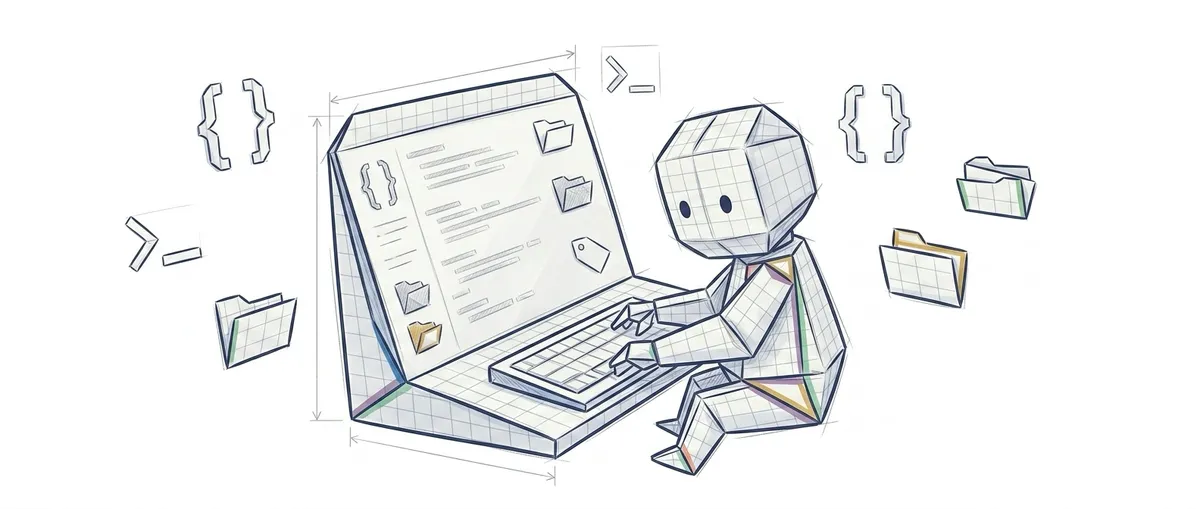
Claude Code is Anthropic’s coding agent: you describe a task in plain language, and it reads your repository, edits whatever files need editing, runs the commands and the tests, and shows you the changes for approval. It lives in your terminal, your editor, a desktop app, and the browser.
To follow this post, all you need to know is what a git repository is and how to open a terminal. That’s it.
How Claude Code Works When You Ask It Something
Claude Code works in cycles: it reads, decides, acts, and checks what it just did. That’s an agent, and it’s the real difference from a plain chat. A chat gives you text back and its work ends there; an agent has tools to reach into your machine and uses them repeatedly until the task is done (that loop is explained step by step in what an agentic loop is).
Imagine you tell it: “the login test is failing, fix it.” What happens next isn’t a single response, it’s a sequence. It finds the test file. It opens it and reads it. It runs the suite to see the actual error instead of guessing at it. It opens the authentication code, finds the culprit line, edits it, and reruns the tests to confirm they now pass. If it’s still failing, it tries again with the new information.
That “reruns the tests” part is the important bit. The model doesn’t just write code — it also receives the actual terminal output, so it can notice when it got something wrong.
Underneath it there’s a language model, an LLM — the same kind of technology behind ChatGPT or Claude (what an LLM is, explained without jargon). What changes isn’t the model itself: it’s what you let it do.
What Claude Code Is For: Real-World Task Examples
Anthropic’s official documentation frames it around two things: building features and knocking out the repetitive development work nobody wants to do. In practice, the tasks it handles best are the ones with a checkable end state:
- Writing tests for a module nobody ever tested, running them, and fixing the ones that fail.
- Explaining a repository you just inherited. You ask “where does payment validation happen?” and it finds and explains it, instead of you spending two hours in the editor’s search bar.
- Git work: it stages the changes, writes the commit message, creates the branch, and opens the pull request.
- Tedious, large-scale tasks, like fixing every lint error in the project or upgrading a dependency that breaks things in fifteen places.
It also connects to external tools through MCP, an open protocol that lets an agent read and write to services outside your code, like Jira or Google Drive (what MCP is and why it matters). And repeatable procedures can be packaged for it as skills — saved instructions it activates when they’re relevant.
Where It’s Used: Terminal, VS Code, Desktop, and Browser
Claude Code isn’t just a terminal program, even though that’s where it started. Anthropic’s official documentation lists five surfaces: the terminal CLI, the VS Code extension, the JetBrains IDE plugin, a desktop app for macOS and Windows, and the browser at claude.ai/code. They all run on the same engine underneath, so your configuration and your MCP servers work the same way on any of them.
Getting started from the terminal takes four lines:
# 1. Instalas la herramienta (macOS, Linux o WSL)
curl -fsSL https://claude.ai/install.sh | bash

# 2. Entras en la carpeta de tu proyecto
cd mi-proyecto

# 3. Arrancas la sesión y a partir de aquí le hablas en lenguaje normal
claude

# 4. O le lanzas una tarea suelta sin abrir sesión, con la opción -p
claude -p "escribe los tests del módulo de login y ejecútalos"
The CLAUDE.md file you leave at the project root is what Claude Code reads at the start of every session: that’s where you write your conventions and what never gets touched.
Almost every surface requires a Claude subscription or an Anthropic Console account, and pricing changes often, so check the official site before trusting any article — including this one.
What About GitHub Copilot?
Copilot is no longer just autocomplete, so the old line about “one completes and the other reasons” stopped being true a while ago. Today it is four things: suggestions as you type, an agent mode inside the editor, a cloud agent you assign an issue to, and a terminal tool of its own.
What actually separates them is where each one lives and who sets the rules the agent cannot get around. Copilot orbits GitHub, and inside an organisation those rules are set by the administrator. Claude Code orbits your repository, with a CLAUDE.md, permissions and hooks that you write.
The full version, with prices and sources, is in the Claude Code and GitHub Copilot comparison.
Claude Code, the Claude Chat, and Claude Projects
These are three different products, and they get mixed up constantly. The claude.ai chat is a conversation: you paste in code, it responds with code, and copying and pasting is up to you. Claude Code has access to your files and runs commands, so there’s no copy-pasting involved.
Claude Projects are something else: a space inside claude.ai where you upload documents and set fixed instructions, and every conversation you open inside it takes them into account without you having to repeat them (what a Claude Project is, in more detail). They’re built for knowledge work with stable documentation, not for touching a repository. If that’s what you were looking for, there’s also a step-by-step guide to creating a Claude Project covered separately.
Quick rule of thumb: if you need something to run commands on your machine, that’s Claude Code. If you need a space to query your documents, that’s a Project.
What to Check Before Letting It Loose
The beginner mistake is approving changes without reading them. The model can be wrong with absolute confidence, invent a function from a library that doesn’t exist, or misunderstand what you asked for (there’s a name for that: hallucination, and it’s inevitable, not an occasional glitch). Your safety net is git: always work on a branch, review the diff before committing, and any disaster undoes itself in one command.
I’ve ended up with a habit that sounds silly but has saved me plenty of headaches: before reading the diff, I look at the list of touched files. If one shows up that I wouldn’t have opened for that task — a config file, a test that had nothing to do with it — that’s where I start reviewing. The problem is almost always right there, and it saves me from reading three hundred lines of correct changes to find the bad one.
The second mistake is asking for too much at once. “Refactor the backend” is an instruction that guarantees a mess that’s hard to review. “Extract the pricing logic into its own module and keep the tests passing” is a task with an end state you can verify in five minutes.
Once you get the hang of it, the next step is usually running several sessions at once, and that’s where a new problem shows up: two agents in the same folder step on each other’s files. The fix is giving each one its own copy of the working tree, which is exactly what I cover in Git worktrees and Claude Code: parallel agents without conflicts.
And if what interests you isn’t just using the tool but understanding how these systems are designed under the hood, that’s exactly what the course AI Agent Design Patterns covers.
Frequently Asked Questions
Is Claude Code the Same as Claude on claude.ai?
No. Claude is the assistant you converse with in the browser, and Claude Code is the tool that uses that same model but with access to your project: it opens your files, edits them, and runs commands on your machine. The model is similar; what it can do is not.
What Specific Tasks Can I Ask Claude Code to Do?
The examples that work best are the ones with a checkable end state: writing tests for a module nobody tested and getting them to pass, figuring out why the login is failing and fixing it, telling you where payment validation happens in a repository you just inherited, cleaning up every lint error in the project, or preparing the commit and opening the pull request. The ones that go badly are vague requests, like “refactor the backend.”
How Does Claude Code Differ from GitHub Copilot?
In where each one lives and who sets the rules. Both have an agent mode and both take on an entire task, so that is no longer what tells them apart. Copilot orbits GitHub and, inside an organisation, its rules are set by the administrator; Claude Code orbits your repository and you write the rules yourself. The full comparison is in the Claude Code and GitHub Copilot comparison.
Do I Need to Know How to Code to Use Claude Code?
Yes, though less than you’d think to get started. You can ask it for things in plain language and it’ll work, but someone has to read the diff and decide whether the change is correct, and that someone is you. Without the judgment to review it, what you end up with is code nobody understands, accumulating faster. If you’re learning, use it to explore repositories and to have it explain code to you before you use it to write everything outright.
Does It Work with Any Language and Any Repository?
Yes. It isn’t tied to a language or a framework, because what it does is read files and run the commands you already use in that project. It does better in repositories with tests and a decent README, for the same reason a new teammate would.
Can I Use Claude Code in Spanish?
Yes — you speak to it in Spanish and it responds in Spanish, including commit messages if you ask it to. The code and tool names stay in English, like in any project.
Related articles

Git Worktrees and Claude Code: Parallel Agents Without Conflicts
How to use git worktrees to run multiple Claude Code instances in parallel on isolated checkouts: set up, integrate, and clean up without branches stepping on each other.

What Is a Claude Project? How It Works and When to Use One
A Claude Project is a space in claude.ai and the app that stores instructions, files, and memory that each chat reuses without you having to re-explain anything.
Claude Code Auto Mode: Configure autoMode.environment
Set up autoMode.environment so the classifier understands your infrastructure and stops interrupting you with false positives.