
LangChain vs LangGraph: differences and when to use each
LangChain vs LangGraph: what each one does today, why they don't compete, and when you need the stateful graph.
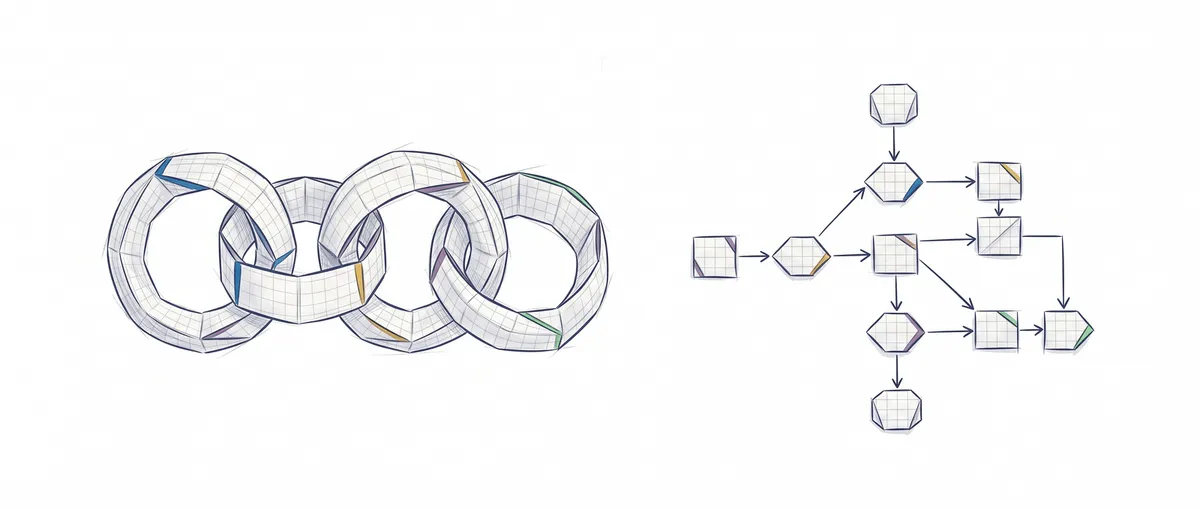
LangChain and LangGraph don’t compete: LangChain is the high-level framework you use to build an agent in a few lines, and LangGraph is the low-level runtime that agent runs on. You reach for LangGraph when your flow stops being a straight line and needs state, branches, pauses or the ability to resume.
The confusion comes from the fact that for years LangChain was mostly about prompt chains. With the 1.0 release of both, published in October 2025 [1], the relationship became clear: today the langchain package depends on LangGraph, and every agent you create with LangChain is, under the hood, a LangGraph graph [2].
LangChain vs LangGraph in one table
The row that matters most is flow control, because it tells you which of the two you’ll open first.
| LangChain | LangGraph | |
|---|---|---|
| What it is | Framework for building agents: models, tools, prompts, middleware and createAgent | Orchestration runtime for stateful workflows and agents |
| Abstraction level | High: you describe the agent and the loop comes built in | Low: you draw the nodes and edges yourself |
| State and persistence | Inherited from LangGraph (you pass a checkpointer to the agent) | Typed state shared across nodes, checkpoints, resume after a failure |
| Flow control | The agent loop: the model decides which tool to call and when to stop | Yours: conditional branches, cycles, fixed steps mixed with model steps |
| Learning curve | An afternoon if you already know what an agent is | Longer, because you think in graphs, reducers and checkpoints |
| When to choose it | You’re starting out, or your case is “a model with tools” | The process has steps the model can’t decide, or you need to pause and resume |
LangGraph’s own documentation says it bluntly: it’s a very low-level tool, focused solely on orchestration, and it recommends starting with LangChain agents if you want something more straightforward [3]. LangChain organizes its offering into three layers: LangGraph (runtime), LangChain (framework) and Deep Agents (harness) [4].
LangChain today: an agent in fifteen lines
Today LangChain is, first and foremost, createAgent: you give it a model and its tools, and it returns an agent that already knows how to run the full agentic loop, that is, call the model, run whatever tool it asks for, hand the result back and repeat until there’s an answer.
// A complete agent with LangChain 1.x
import { createAgent, tool } from "langchain";
import { z } from "zod";

const verPedido = tool(async ({ id }) => `Order ${id}: shipped`, {
  name: "ver_pedido",
  description: "Looks up the status of an order by its id",
  schema: z.object({ id: z.string() }), // the model sees this schema and fills in the id
});

const agente = createAgent({
  model: "anthropic:claude-haiku-4-5-20251001", // requires @langchain/anthropic installed
  tools: [verPedido],
  systemPrompt: "You are the support agent for an online store.",
});

await agente.invoke({ messages: [{ role: "user", content: "Where is order 42?" }] });
On top of that it adds middleware, pieces that hook in before or after each call to the model or to a tool, such as humanInTheLoopMiddleware to ask for approval before certain tools run [2]. And the usual: switching model providers without rewriting your logic.
Prompt chains and LCEL still exist, and you’ll find how to write them, with examples, in the guide to prompt chaining with LangChain. The older abstractions that 1.0 moved out of the main package now live in langchain-classic (Python) and @langchain/classic (JavaScript).
But what happens when the process isn’t “the model decides until it’s done”?
LangGraph: when your flow is a stateful graph
LangGraph models the process as a graph: a shared state, a set of nodes that are functions which read that state and return what they change, and a set of edges that say which node comes next. Its value lies in what high-level agents hide: durable execution that resumes where it left off and pauses for a human to step in, plus memory across sessions [3].
A case that fits: answer a support ticket, review the answer with another model call, retry if it fails the review and, if it passes, stop until a person approves it. The nodes use a llamarLLM helper that sends a prompt and returns the text.
import { StateGraph, Annotation, START, END } from "@langchain/langgraph";

declare function llamarLLM(prompt: string): Promise<string>; // your model call

// The shared state: each node reads it and returns only what changes
const Estado = Annotation.Root({
  tema: Annotation<string>,
  borrador: Annotation<string>,
  aprobado: Annotation<boolean>,
  intentos: Annotation<number>({ reducer: (a, b) => a + b, default: () => 0 }),
  decision: Annotation<string>,
});

const redactar = async (s: typeof Estado.State) => ({
  borrador: await llamarLLM(`Write the reply to this ticket: ${s.tema}`),
  intentos: 1, // the reducer adds it to the total
});
const revisar = async (s: typeof Estado.State) => ({
  aprobado: (await llamarLLM(`Is it correct? Reply only APPROVED or REJECTED:\n${s.borrador}`))
    .trim().toUpperCase().startsWith("APPROVED"), // tolerates lowercase and whitespace
});
A field without a reducer gets overwritten with the latest value; intentos has one that adds, so each pass adds 1 instead of clobbering the counter. Now the graph, with the conditional edge and the human pause:
import { MemorySaver, interrupt, Command } from "@langchain/langgraph";

// interrupt() freezes the graph and returns whatever the human says on resume
const aprobarHumano = (s: typeof Estado.State) => ({ decision: interrupt({ borrador: s.borrador }) });

const app = new StateGraph(Estado)
  .addNode("redactar", redactar).addNode("revisar", revisar).addNode("aprobarHumano", aprobarHumano)
  .addEdge(START, "redactar").addEdge("redactar", "revisar")
  // approved → human; otherwise retry up to 3 times and then finish
  .addConditionalEdges("revisar", (s) => (s.aprobado ? "aprobarHumano" : s.intentos < 3 ? "redactar" : END))
  .addEdge("aprobarHumano", END)
  .compile({ checkpointer: new MemorySaver() });

const config = { configurable: { thread_id: "ticket-42" } };
await app.invoke({ tema: "I want to return an order" }, config); // stops at aprobarHumano
await app.invoke(new Command({ resume: "send" }), config);       // picks up where it was
I ran this code with @langchain/langgraph 1.4.21 and a mocked llamarLLM: the first call returns the state with an __interrupt__ field carrying the draft, and the second finishes with decision: "send". That loop back from revisar to redactar, with its counter and its pause point, is exactly what we don’t control in a high-level agent.
How they fit together
Since createAgent returns a compiled LangGraph graph, the two mix without any glue: a LangChain agent can be just another node inside your graph. The typical case is the Router pattern: one node classifies the request and the conditional edge sends it to the right specialist agent.
LangGraph doesn’t force you to use LangChain either: it shares the base @langchain/core package with it, but you can write the nodes directly with your provider’s SDK [3].
And LangSmith? It shows up in the same search, but it serves a different purpose: it’s the platform for viewing the trace of each run and evaluating agents, and its SDK also works with code that doesn’t use LangChain [5].
When you need neither
If your agent is a model with three or four tools, the loop is a few dozen lines with the provider’s SDK: you call the model, if it asks for a tool you run it, hand back the result and repeat. We explain how that mechanism works in tool use, and writing it by hand once is the best way to understand what createAgent does for you.
The framework pays off when the things we don’t want to rewrite show up, like persistence or human pauses. What doesn’t pay off is adding LangGraph just in case and ending up debugging reducers in a flow that was a straight line.
If you want to practice these flows, from routers to loops with review, without tying yourself to a specific framework, that’s what we work on in the agentic patterns course.
Two mistakes when using LangGraph
Using interrupt() without a checkpointer
Pausing a graph means saving its state so you can resume it later, and that’s the checkpointer’s job. If you compile without one, execution fails with No checkpointer set as soon as it reaches an interrupt() [6]. The second catch is quieter: MemorySaver stores in memory, so if you restart the process you lose every paused thread. In production you need a database-backed checkpointer, such as @langchain/langgraph-checkpoint-postgres.
Mistaking an infinite loop for a long flow
A badly closed cycle doesn’t hang forever: LangGraph cuts it off with a GraphRecursionError when it hits the step limit, which defaults to 25 and can be changed with recursionLimit in the config. If you see that error, check the exit condition before raising the limit.
Sources
- langgraph on PyPI: release history: date of langgraph’s 1.0 release, published on October 17, 2025, the same day as langchain 1.0.
- langchain on npm: LangChain.js: the package declares
@langchain/langgraphas a dependency and its code buildscreateAgenton top ofStateGraph;model,tools,systemPrompt,checkpointerparameters, and built-in middleware. - LangGraph overview: Docs by LangChain: LangGraph as low-level orchestration, durable execution, human-in-the-loop, memory, use without LangChain, and the recommendation to start with LangChain agents.
- Runtimes, frameworks, and harnesses: Docs by LangChain: classification of LangGraph as a runtime, LangChain as a framework and Deep Agents as a harness.
- langsmith on npm: LangSmith client: LangSmith as a development and evaluation platform, compatible with code that doesn’t use LangChain.
- Interrupts: LangGraph Docs:
interrupt(), resuming withCommand, and the need for a checkpointer andthread_id.
Frequently Asked Questions
What is the difference between LangChain and LangGraph?
LangChain is the high-level framework: with createAgent you describe an agent from a model and its tools, and the loop comes built in. LangGraph is the low-level runtime that agent runs on, and you use it directly when you want to draw the flow yourself with nodes, edges, shared state and pauses.
What is LangGraph?
LangGraph is a low-level runtime for orchestrating stateful workflows and agents: you define nodes, edges and a shared state, and it takes care of checkpoints, resuming a run and pausing for human approval. It’s also the foundation that the agents created by LangChain’s createAgent run on.
Do I have to learn LangChain before LangGraph?
It’s not required, but it’s the order the documentation itself recommends. Starting with createAgent teaches you what an agent does without wrestling with graphs, and when a case calls for cycles or human approval, you drop down to LangGraph already knowing what problem it solves.
Does LangGraph replace LangChain?
No. LangGraph vs LangChain isn’t an either-or choice, because since version 1.0 LangChain is built on LangGraph: the agents it creates are LangGraph graphs under the hood.
What is LangSmith and how is it different from LangChain and LangGraph?
LangSmith is the observability and evaluation platform from the same team: it records each run of your agent as a trace and lets you evaluate its answers. It doesn’t build agents, so it doesn’t compete with either of them, and you can also use it with code that doesn’t involve LangChain.
Related articles
Prompt Chaining with LangChain: Copy-Paste Examples
Prompt chaining examples with LangChain in TypeScript, ready to copy, plus the same chain without a framework so you can compare. Full working code.
What is an agentic loop: definition and example
An agentic loop is the cycle an AI agent repeats until it meets its goal. The pieces, an example, and how it differs from prompt chaining.

Routing in AI: How to Classify and Delegate Tasks Successfully
The Router pattern classifies user input and delegates it to the right agent. Learn how to implement it with rules, semantics, and fallback chains.