
Claude Code vs Cowork: How They Differ and Which to Use
Claude Code and Cowork share the same agent architecture. What changes is the work: software in a repository or knowledge tasks on your files.
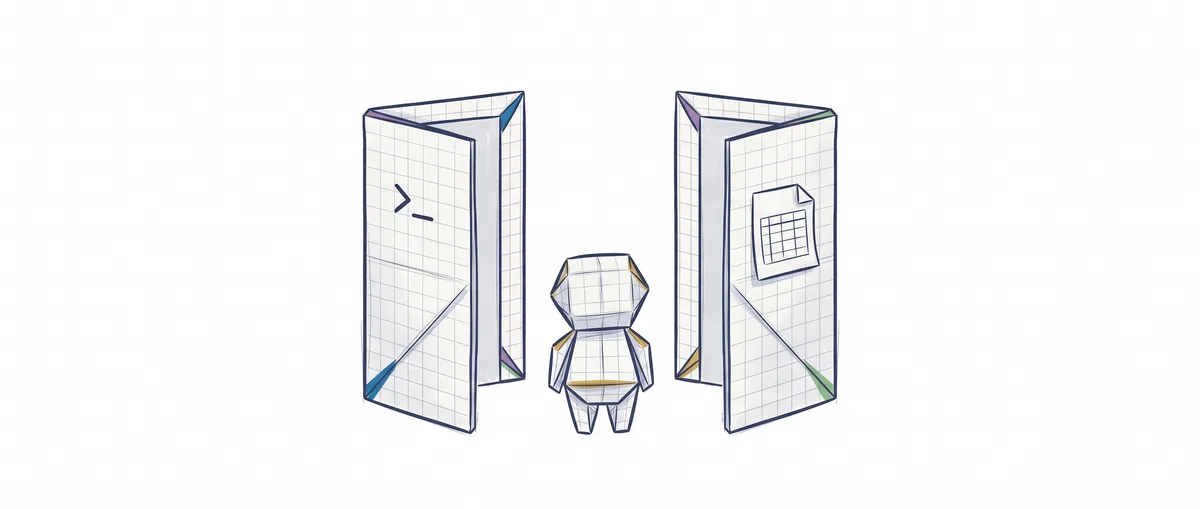
Claude Code and Cowork use the same agent architecture: Claude Code is for programming inside a repository, and Cowork is for knowledge work without code (documents, spreadsheets, research) on the folders and apps you give it. Claude Desktop is not a third product, it’s the app that holds both.
The difference between Claude Code and Cowork lies in the work they do, not in how they work inside. An agent, for our purposes here, is a language model that uses tools (reading files, running commands, opening a web page) in a loop until the task is done. If you haven’t seen one in action yet, What Is Claude Code? Definition, Uses, and Examples walks you through it with examples.
Claude Code vs Cowork in one table
| Claude Code | Cowork | |
|---|---|---|
| Built for | Software engineering: writing, debugging and shipping code [3] | Non-coding knowledge work: research, analysis, documents and other multi-step tasks [3] |
| What you give it | Your project folder | The folders you pick when you start each task [2] |
| What you get back | Code changes, commits and pull requests [1] | Formatted documents, organized files, synthesized research [2] |
| Where it lives | Terminal, VS Code, JetBrains, desktop app (Code tab) and web [1] | Desktop app (macOS and Windows), web and mobile in beta [4] |
| How you configure it | CLAUDE.md, settings and MCP servers (the way to connect other tools to it, explained in what MCP is), which apply across all its surfaces [1] | Connectors, skills and plugins from Customize, in your claude.ai account [8] |
| How you approve what it does | Permission modes [9] | Three levels: Manual, Auto and Skip [2] |
| Which plan you need | On most surfaces, a paid subscription or an Anthropic Console account [1] | Pro, Max, Team or Enterprise (on Enterprise, if the administrator turns it on) [4] |
You’ll find the price of each plan on Anthropic’s official website. They change often and I don’t repeat them here.
What is Claude Desktop and how does it differ from Claude Code?
The question “Claude Code vs Claude Desktop” starts from a reasonable confusion: Claude Desktop is the application, not a separate product. It has three tabs. Chat is general conversation, with no file access. Cowork is an autonomous agent that works in the background while you do something else. Code is a programming assistant with direct access to your local files [7].
The Code tab already includes Claude Code, so you don’t need to install the terminal tool to use it [7]. It’s the same Claude Code with a graphical interface.
How Claude Cowork works
You describe an outcome, walk away and come back to finished work [2]. Inside, Cowork makes a plan, splits it into subtasks when needed and can run several in parallel, while showing you each step: the files it opens, the tools it uses and the choices it makes [2] [3].
To reach things it follows a priority order. First it uses connectors to services like Gmail or Slack, then the browser, and only as a last resort it looks at your screen and clicks the way you would. That last option, computer use, asks for permission application by application, blocks some by default (investment platforms and cryptocurrency, for example) and today is a beta of the desktop app, only on the Pro and Max plans [6].
Where it runs is the part that moves the most. As of October 5, 2026, Anthropic’s help center describes Cowork running in Anthropic’s cloud, in beta on web and mobile, so the session keeps going even if you close your laptop. Anything local (files, browser, computer) still goes through the desktop app, which has to be open [4]. The same page says that from October 6 new Pro and Max tasks move to the cloud. If you’re reading this months from now, double-check that detail.
What happens when you don’t touch any setting
Defaults tell you how each product thinks.
In Cowork, if you don’t pick a folder, Claude can’t see your local files: access is granted task by task, not across the board [2].
In Claude Code, if you pass neither --permission-mode nor permissions.defaultMode in your settings, your version’s default applies. Since v2.1.283 in the terminal and VS Code it’s auto mode, where a classifier reviews actions instead of asking you every time [9]. In Manual mode it only reads without asking and checks with you before editing or running anything. If you’d rather it propose an approach before touching anything, you ask for that:
# Arranca Claude Code en modo plan: propone un enfoque sin editar ficheros
claude --permission-mode plan
The calmer modes, auto mode included, are covered in Claude Code’s advanced permissions.
Which one should I use?
My rule is to start from the task, not from the tool.
The work lives in a repository: Claude Code. A bug, a new function, the tests for a module, a pull request.
The result is a document, a spreadsheet or a piece of research: Cowork. Sorting a folder of invoices or preparing a report with data from several sources doesn’t need a repository.
You do both: use both. A developer can ask Code for the fix and Cowork for the summary for their boss. Dispatch is a persistent conversation in the Cowork tab where you write the task, for example from your phone, and it decides where it goes: development (bugs, dependencies, tests, pull requests) can end up in a Code session, while research and editing documents and spreadsheets stay in Cowork [8].
What works on both sides is judgment: knowing what to ask, reviewing what it did and deciding how much permission you give it. That’s what we practice in the course on design patterns for AI agents.
Sources
Checked on 2026-10-05 against Anthropic’s official documentation. Both products change every few weeks, so verify before deciding.
- Claude Code overview (official documentation): surfaces, shared configuration and subscription requirement.
- Get started with Claude Cowork (help center): folders, work plan, approval modes and outputs.
- Claude Cowork (product page): differences from chat and from Claude Code.
- Use Claude Cowork on web, desktop, and mobile (help center): where it runs and what the desktop app is needed for.
- Use Claude Cowork on Team and Enterprise plans (help center): availability and risks of an agent with internet access.
- Let Claude use your computer in Cowork (help center): connectors, browser, screen priority and per-application permissions.
- Get started with the desktop app (Claude Code documentation): the three tabs of Claude Desktop.
- Use Claude Code Desktop: Dispatch and the Customize settings.
- Choose a permission mode (Claude Code documentation): modes and starting mode.
Frequently Asked Questions
Is Cowork good for programming?
Anthropic positions it for work that isn’t code, and for programming it has the Code tab. Cowork and Code share the same app, and a development task sent through Dispatch can end up in a Code session.
Do I need the desktop app to use Cowork?
Not for everything: Cowork also works from the web and mobile, in beta, with tasks running in the cloud. If the task needs local files, browser or computer, the desktop app has to be open so Claude can reach them.
Do Claude Code and Cowork share configuration?
Partly. A plugin is saved to your account and works in chat, in Claude Code and in Cowork [2]. But the Cowork tab takes its skills, plugins and connectors from the Customize settings of your claude.ai account, not from the terminal’s ~/.claude directory [8].
Is it safe to let Cowork touch my folders?
It only sees the folders you give it, and Anthropic recommends reviewing its planned actions before letting it proceed [2]. Even so, the documentation itself warns that Cowork has its own risks because it’s an agent with internet access [5]. Start with a test folder, Manual mode and nothing confidential inside.
Related articles
What Is Claude Code? Definition, Uses, and Examples
Claude Code is Anthropic's agent that reads your repository, edits files, and runs commands. What it is, what it's for, and how it differs from Copilot.

Claude Code permissions: the rules you should already be writing
On August 14, 2026, auto mode becomes the default mode. The six modes, the deny → ask → allow precedence, and what each lever actually guarantees.
What is MCP: the protocol connecting AI agents with tools
MCP (Model Context Protocol) standardizes how AI agents connect to external tools. Explanation with line-by-line commented Python examples.