
Claude Design vs Figma and Lovable: what it is and when to use each
Claude Design creates prototypes, slides and designs by chatting with Claude and hands them off to Claude Code. How it differs from Figma Make and Lovable.
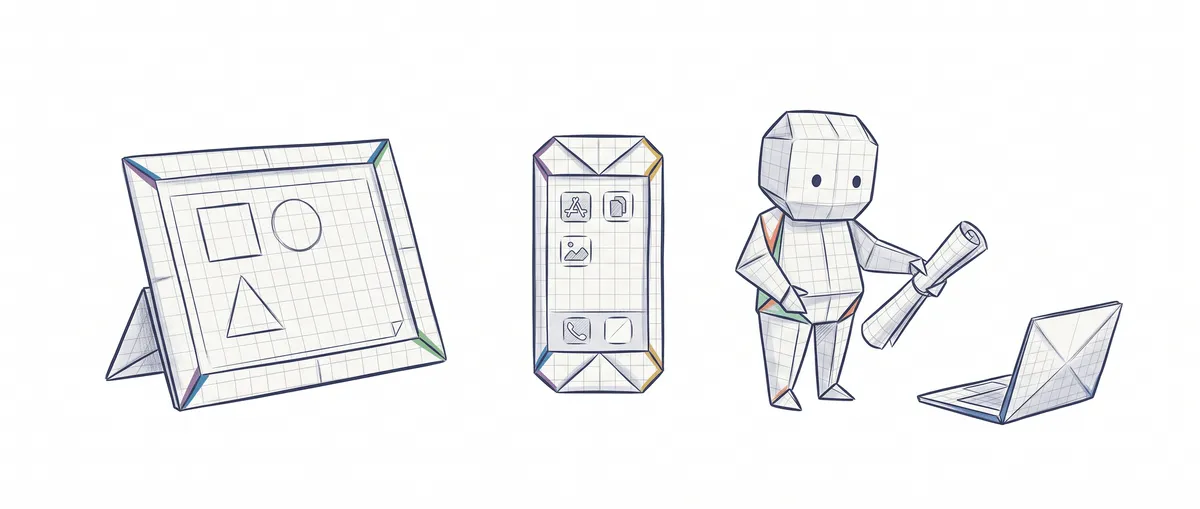
Claude Design is Anthropic’s tool, now built into Claude as an artifact template, for creating designs, interactive prototypes, one-pagers (single-page documents that summarize a proposal) and presentations by chatting with Claude: you describe what you want, Claude draws it on a canvas next to the chat, and you adjust it by talking to it or editing by hand [1]. When the design is ready, you pass it to Claude Code to turn it into software.
The question I keep getting is whether it replaces Figma or Lovable. The short answer: all three produce similar-looking things on screen, but the result lives in very different places, and that is what decides which one suits you. To follow this post you only need to know that a prototype is a version of your product you can click through but that has no real logic behind it yet, that a design system is the set of colors, typefaces and components (buttons, cards, forms) that make everything from a brand look alike, and that Claude Code is Anthropic’s agent that reads your repository, edits files and runs commands.
What each one does and where the result lives
| Claude Design | Figma Make | Lovable | |
|---|---|---|---|
| What you ask for | A design, a prototype, a one-pager or a deck (presentation), in natural language [1] | A working prototype or a web app, from Figma’s AI chat [5] | A whole application, also through chat [7] |
| What you get back | A canvas of artboards (screens) you can edit layer by layer [1] | Generated code for that prototype, with an editor to tweak it by hand [5] | An app with frontend, database, login and file storage; you don’t choose the framework, and the database is Lovable’s built-in one (PostgreSQL) or your own Supabase [7] |
| Where it lives | As an artifact in your Claude account: chat, the Artifacts tab or Claude Code [1] | In a Figma Make file, inside Figma [5] | In a Lovable project that syncs with a GitHub repository [8] |
| How it follows your brand | A design system imported from a repo, from design files or from your code [1] | Make kits: styles and variables from your Figma libraries plus some guidelines [6] | By stating it in the prompt (no documented design system import) |
| How you get it out | PDF, PPTX, Google Slides, HTML, .zip or handoff to Claude Code [1] | Publishing to a public figma.site URL or a custom domain [9] | A GitHub repository with two-way sync [8] |
The Figma Make and Lovable data come from their official documentation, checked in November 2026. Claude Design and Figma Make read your design system from different places, and Lovable depends on what you tell it in the prompt; that alone says who each one is built for.
Read column by column, the table says something the name “Claude Design vs Figma” hides: Claude Design competes more with the quick design work of people who aren’t designers than with the canvas where a design team maintains its product.
What Claude Design is today and how it works
Claude Design is one of the templates you can create a Claude artifact from: the design one, alongside Docs and Slides, among others [3]. It was born on April 17, 2026 as a separate Anthropic Labs product, in research preview and with its own website [4], and today it is an artifact template inside Claude [1] [3].
I explain exactly what an artifact is in the difference between Claude artifacts and Projects; here it’s enough to know that it opens next to the conversation so you can edit and share it [3].
The examples in the official guide give an idea of what comes out: a four-screen onboarding for a mobile app, a one-pager based on a proposal, a revenue dashboard with filters, or a landing page for a product [1].
Under the hood, each design is a canvas of artboards (the screens or pages) with layers of text, shapes and images. You refine it in three ways, and the official documentation recommends each one for something different [1]:
- Chat, for structural changes: “put the metrics at the top and the chart below”, or “show me two layout alternatives”.
- Inline comments, for something specific: you click a button and type “more padding here”.
- Direct editing on the canvas, to move, resize and align without asking for anything.
When it’s ready, you export it or share it: it’s private by default, and you can grant view, comment or edit permissions.
If you’ve never designed anything, the value lies in what you give it before you start. With screenshots, design files or your app’s repository, Claude understands your components and the prototype comes out closer to what you’ll later build [1].
How to access Claude Design
As of November 2, 2026, Claude Design is available on the Free, Pro, Max, Ultra, Team and Enterprise plans, and on all of them, including Enterprise since October 15, 2026, it is turned on by default [1]. You can open it in four ways:
- By asking for it in any conversation (“make me a one-pager with this proposal”) or by choosing Output > Design in the message box.
- From the Artifacts tab, with the Design template.
- In Claude Code, with the
/designcommand, on desktop or in the terminal. - In the mobile app, where you can request and edit designs, although sharing permissions are changed from the web or desktop [1].
If you used the standalone website, claude.ai/design, heads up: it becomes read-only on December 14, 2026 [2]. And it has no separate quota: it draws from the same usage limits as the rest of Claude, including Claude Code [1]. The details on both are in the FAQ.
Which one is right for your project?
My rule of thumb is to ask where the result has to end up, not which tool draws better.
Your team already designs in Figma. Stay with Figma Make. It reads your published libraries through Make kits [6], the prototype lives in the same place as the rest of the design, and your designer can review it without switching tools.
You want an app that works today, with users and data. Lovable gives you login and a database without setting anything up [7]. The price of that convenience is the stack (the set of technologies): according to Lovable’s documentation, checked in November 2026, you don’t choose the framework, and the database is Lovable’s built-in one or your own Supabase [7]. If you need a different one, you sync the project with a GitHub repository and continue development outside Lovable [8].
You already have a repository and work with Claude Code. This is where Claude Design makes the most sense. You design the screen by chatting, with your design system, and hand it to the same agent that already knows your code.
You need a deck or a one-pager to pitch an idea. Claude Design again, because it exports to PPTX, PDF, Google Slides and HTML [1].
There’s one detail that breaks the idea of a rivalry: among the destinations Claude Design can send a design to is Lovable itself, alongside Canva, v0, Vercel or Replit [1]. You can design in one and build in another. Figma isn’t on that list as of today.
Example: from a design to code with Claude Code
The handoff is the moment a design passes to whoever is going to build it. With Claude Design, that step consists of giving Claude Code a bundle with the design, so the agent continues from your work instead of starting over from a screenshot [1] [4].
Say we have a recipe app in React and we want a new onboarding screen. The flow, using the commands Anthropic documents, would look like this:
# 1. In Claude Code, inside your repo: upload your design system
/design-sync

# 2. In Claude (chat or Artifacts tab): ask for the design
"Design a 4-screen onboarding for the recipe app.
 Use the buttons and cards from the design system."

# 3. Iterate with comments on the canvas and, when it's ready:
#    Export > Handoff to Claude Code (local or Claude Code Web)

# 4. Back in Claude Code: import the design into the code
/design
/design-sync brings in your design system from your local code, and with /design you create, edit and sync designs from Claude Code: import one into your code, export your code as a live prototype, or let Claude build it end to end [1]. I’ve written it as separate steps because the exact interface changes every few weeks; the order is what matters.
Step 4 is where it shows whether you know what you’re doing. Claude Code is going to write components and styles, and someone has to read those changes and decide whether they fit the app’s architecture. A pretty design that goes into code unreviewed is still technical debt, just better looking.
If you’re unsure which Claude surface to use for that part, there’s the comparison between Claude Code and Cowork.
Limits worth knowing before you start
Anthropic publishes a list of known limitations, and some of them matter if you come in expecting this to be Figma [1]:
- There’s no version history yet. If you want to try another direction, ask Claude to save what you have before changing it.
- Simultaneous editing by several people is basic and can fail, something Figma users take for granted.
- An imported design system is only as good as its source: if your code or your files are messy, it shows in the result.
- With very large repositories, the documentation recommends linking them from Claude Code to keep the browser from choking.
These limitations explain why a design team won’t move its daily work here, and why they weigh much less on a developer without a designer at their side.
What doesn’t change with any of the three tools is the judgment to decide what to ask for and to review what comes out before it reaches production. That’s exactly what we practice in the course on design patterns for AI agents.
Sources
Checked on 2026-11-02. Claude Design changes every few weeks, so verify the details before deciding.
- Get started with Claude Design (Claude help center): what it is, where it’s used, plans, refining, exports, handoff to Claude Code, the /design and /design-sync commands, usage and known limitations.
- Move from standalone Claude Design to Claude (Claude help center): claude.ai/design shutting down on December 14, 2026 and what happens to projects and design systems.
- What are artifacts and how do I use them? (Claude help center): current definition of an artifact and the Docs, Slides and Design templates.
- Introducing Claude Design by Anthropic Labs (Anthropic): launch in April 2026 as a research preview and the handoff bundle to Claude Code.
- Create and edit a Figma Make file (Figma help center): how Figma Make generates code from chat inside a Make file.
- Get started with Make kits (Figma help center): how Figma Make uses styles and variables from Figma libraries.
- FAQ (Lovable documentation): fixed framework, built-in backend with PostgreSQL, login and storage, or your own Supabase.
- Sync your Lovable project with GitHub (Lovable documentation): syncing with a GitHub repository.
- Publish, update, or unpublish a Figma Make file (Figma help center): publishing to a figma.site URL or a custom domain.
Frequently Asked Questions
Is Claude Design free?
It’s included in the Free plan and the paid ones, with no quota of its own: it draws from the same usage limits as the rest of Claude, including Claude Code, and large projects or ones with many iterations use more. If you hit the limit, it becomes unavailable until it resets, unless you have usage credits turned on.
Does Claude Design replace Figma?
For a design team, not as of today, but for a developer who needs to prototype a screen with their design system and move it to code, it covers that work without opening Figma.
What’s the difference between Claude Design and Lovable?
Claude Design gives you a design or prototype that Claude Code then builds in your repository. Lovable gives you the working app, with login and a database: you don’t choose the framework, and the database is Lovable’s built-in one or your own Supabase.
Do I need to know how to design to use Claude Design?
No. The official guide asks for a prompt that says what you’re building, for whom, how it’s organized and what content it shows, and Claude asks you for anything that’s missing.
What happens to my claude.ai/design projects?
They stay there until December 14, 2026, when the website becomes read-only, and any chats and comments you have there don’t move to Claude. Design systems can be moved to Claude now, so do it before then, and moving projects is gradually being rolled out on paid plans.
Related articles
What Is Claude Code? Definition, Uses, and Examples
Claude Code is Anthropic's agent that reads your repository, edits files, and runs commands. What it is, what it's for, and how it differs from Copilot.
Claude Code vs Cowork: How They Differ and Which to Use
Claude Code and Cowork share the same agent architecture. What changes is the work: software in a repository or knowledge tasks on your files.
Claude Artifacts vs Projects: what each one is and when to use it
A Claude Project holds the context you work with; an artifact is what Claude hands you. What each one does, examples, and how to combine them.