
CLAUDE.md vs AGENTS.md: which file to use and how to make them coexist
CLAUDE.md vs AGENTS.md: what Claude Code, Codex, Cursor, Copilot and Gemini CLI read, and how to keep a single instructions file without duplicating anything.
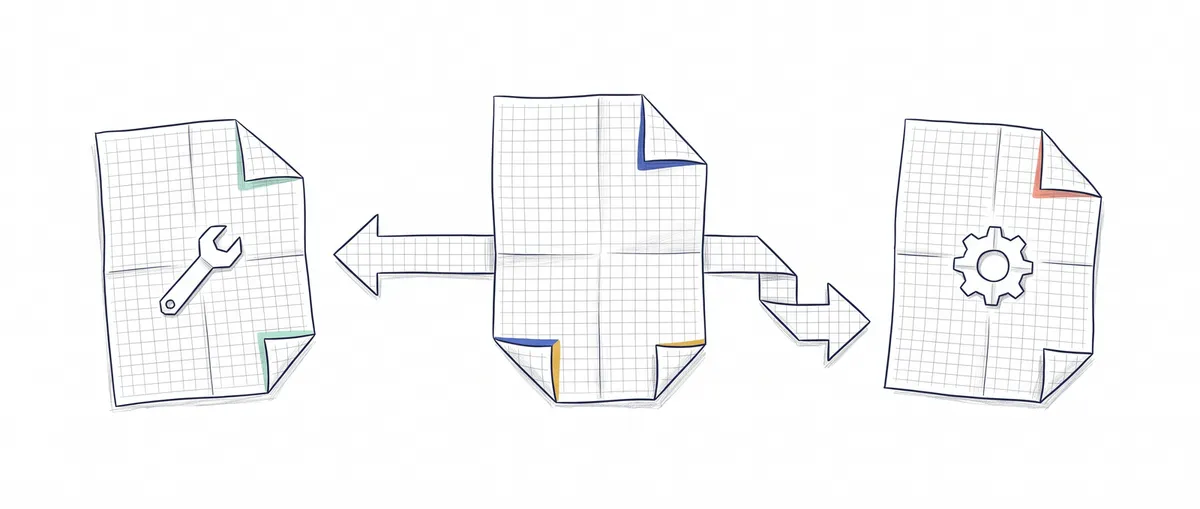
CLAUDE.md is the Markdown file Claude Code loads at the start of every session with your project’s instructions. AGENTS.md is the same idea as an open format, designed so any coding agent can read it. Today Claude Code also reads AGENTS.md, with one condition you should know about before you create the second file.
Do you work in a repository where one teammate uses Cursor, another uses Codex, and you use Claude Code? Then the practical question isn’t what sets Claude Code, Codex and Cursor apart, but how many instruction files you maintain. My short answer: one, written where everyone reads it, and at most a second file that points to the first.
What each coding agent reads
An instruction file is text the agent puts into its context window before your first message: build commands, conventions, what it must not touch. Each tool looks for one with a different name, and this table summarizes what I was able to verify in the official documentation as of October 2026.
| Tool | Which file it reads | Where it looks | Notes |
|---|---|---|---|
| Claude Code | CLAUDE.md and, if there is none, AGENTS.md | ~/.claude/CLAUDE.md (personal), ./CLAUDE.md or ./.claude/CLAUDE.md (project), CLAUDE.local.md (yours, not committed) and subfolders on demand [1] | Supports imports with @path, up to four hops |
| OpenAI Codex | AGENTS.md (and AGENTS.override.md) | ~/.codex and from the repo root down to your current folder, one file per directory [3] | Other names only if you add them to project_doc_fallback_filenames; default combined limit of 32 KiB |
| Cursor | .cursor/rules and AGENTS.md | Rules in .cursor/rules, AGENTS.md at the root [4] | Its CLI also reads CLAUDE.md at the root [5] |
| Copilot cloud agent (GitHub) | .github/copilot-instructions.md, AGENTS.md | AGENTS.md in any folder; the closest one wins [6] | Accepts a single CLAUDE.md or GEMINI.md at the root as an alternative |
| Gemini CLI | GEMINI.md | ~/.gemini/GEMINI.md and the project folders [7] | Reads AGENTS.md if you configure it in context.fileName |
AGENTS.md doesn’t belong to any company: it came out of Codex, Amp, Jules, Cursor and Factory, and today it is stewarded by the Agentic AI Foundation, under the Linux Foundation [2]. It has no required fields. It’s plain Markdown with whatever headings you want.
The Claude Code row is the one with the fine print, and it’s the one that decides how you organize your repository.
When Claude Code reads your AGENTS.md
Since version 2.1.277, Claude Code reads AGENTS.md natively through a built-in plugin, with no import or configuration [1]. But the default behavior is exclusive: if it finds a CLAUDE.md, a .claude/CLAUDE.md or a CLAUDE.local.md in your working directory or any directory above it, it reads those and forgets about AGENTS.md.
| Your repository has | Claude Code reads |
|---|---|
Only AGENTS.md | AGENTS.md |
AGENTS.md and a CLAUDE.md | Only CLAUDE.md |
A CLAUDE.md that imports @AGENTS.md | CLAUDE.md, with AGENTS.md inside |
Your personal ~/.claude/CLAUDE.md and the rules in .claude/rules/ don’t count for that check, so they keep loading alongside AGENTS.md. The one that does count, and the trap I think is easiest to step into, is CLAUDE.local.md: you create one to jot down your test environment URL and, without any warning, Claude stops reading the whole team’s AGENTS.md. The documentation says so plainly, and the way out is to change the Project instructions setting in /config to claude-md-and-agents-md, which loads both [1].
In versions before 2.1.277, or if you disabled that plugin, it only reads CLAUDE.md. You can check with /context, which lists the loaded instruction files.
Which one to choose for your case
The rule I follow is to put the content in the file the most tools read and leave the others as pointers.
You only use Claude Code. One CLAUDE.md and you’re done. You get imports and CLAUDE.local.md for personal settings, and you gain nothing from a second name.
Your team mixes agents. Write the instructions in AGENTS.md. Codex and Cursor read it out of the box, so does Copilot cloud agent, and Claude Code loads it as long as there’s no CLAUDE.md. Gemini CLI is the exception: it only reads it if you add it to context.fileName in its configuration. If you have nothing Claude-specific to say, don’t create a CLAUDE.md.
You mix agents and want Claude-only instructions. This is where the import comes in, and it’s the pattern the Claude Code documentation recommends.
How to make them coexist without duplication
The official pattern is a minimal CLAUDE.md that imports AGENTS.md on the first line and adds below it only what affects Claude Code [1]:
@AGENTS.md

## Claude Code

Usa plan mode para cualquier cambio dentro de `src/billing/`.
(That line tells Claude to use plan mode for any change inside src/billing/.) Plan mode is the mode in which Claude Code analyzes and proposes a plan without modifying files until you approve it. Claude reads the imported file first and then the rest. The import path is relative to the file that contains it, not to the folder you launch Claude from. If you write @AGENTS.md in backticks, it isn’t imported: it stays as text, which is useful for mentioning a file without loading it.
If you have nothing Claude-specific, the documentation also accepts a symbolic link:
# CLAUDE.md apunta a AGENTS.md; no imprime nada si va bien
ln -s AGENTS.md CLAUDE.md
I prefer the import. On Windows, creating the link requires administrator permissions or developer mode, and a clone without core.symlinks enabled ends up with a one-line CLAUDE.md containing the path instead of your instructions. On a mixed team, that happens sooner or later.
For Gemini CLI the bridge is configuration, not a file. It goes in .gemini/settings.json [7]:
{
  "context": {
    "fileName": ["AGENTS.md", "GEMINI.md"]
  }
}
Codex doesn’t read CLAUDE.md by default. If your repository already lives in CLAUDE.md and you want Codex to use it, you can add that name to project_doc_fallback_filenames in ~/.codex/config.toml [3], although I find it cleaner to move the content to AGENTS.md.
What goes in each file and what isn’t repeated
AGENTS.md holds everything any agent needs: how to install, how to run the tests, the architecture in two paragraphs, and the conventions the linter doesn’t check. How to write that content well is covered in the guide to writing an AGENTS.md that doesn’t make your agent worse, so I won’t repeat it here.
CLAUDE.md holds what only makes sense in Claude Code: when to use plan mode, or references to skills and subagents that only exist in .claude/. A skill is a package of instructions Claude loads only when the task calls for it (what a skill is), and a subagent is another instance with its own context that Claude delegates work to (agent vs. subagent in Claude Code). If a line would make sense for Codex, it belongs in AGENTS.md.
What must never happen is having the same block copied into both. With the default configuration Claude Code only reads one, so the copy it doesn’t read drifts out of date without anyone noticing, and the day someone switches the setting to load both, the model receives two different versions of the same rule. The documentation warns that, faced with two contradictory instructions, Claude may pick one arbitrarily [1].
And something we often forget: these files are context, not rules the agent is forced to follow. If something must never happen, like touching the migrations folder, it belongs in a Claude Code hook that always blocks it, not in a sentence in CLAUDE.md. That difference between asking and guaranteeing is exactly what we work on in the agentic patterns course.
Sources
Behavior verified on 2026-10-12 against each tool’s official documentation. It changes often, so check the version you use.
- How Claude remembers your project — Claude Code Docs — CLAUDE.md locations, import syntax, native AGENTS.md reading since v2.1.277, Project instructions setting, import vs. symbolic link.
- agentsmd/agents.md — official format repository — format with no required fields, origin and stewardship by the Agentic AI Foundation.
- Custom instructions with AGENTS.md — OpenAI Codex — discovery order, AGENTS.override.md, project_doc_fallback_filenames and the 32 KiB limit.
- Rules — Cursor Docs — project rules in .cursor/rules and AGENTS.md as a simple alternative.
- Using Agent in CLI — Cursor Docs — the Cursor CLI applies AGENTS.md and CLAUDE.md from the root as rules.
- Adding repository custom instructions for GitHub Copilot — GitHub Docs — copilot-instructions.md, AGENTS.md with closest-wins precedence, and CLAUDE.md or GEMINI.md as an alternative.
- Provide context with GEMINI.md files — Gemini CLI — GEMINI.md hierarchy and context.fileName for using AGENTS.md.
Frequently Asked Questions
What is CLAUDE.md?
CLAUDE.md is a Markdown file that Claude Code loads at the start of every session with persistent instructions, such as build and test commands or team conventions. It can live in your personal folder (~/.claude/CLAUDE.md), at the repository root or in subfolders, and /init generates a starter one by analyzing the code.
Does Claude Code read AGENTS.md?
Yes, since version 2.1.277, but by default only if there is no CLAUDE.md, .claude/CLAUDE.md or CLAUDE.local.md in your folder or above it. If you have both, it only reads CLAUDE.md, unless you import it with @AGENTS.md or change the Project instructions setting.
CLAUDE.md or AGENTS.md: which one should I use?
If you only use Claude Code, CLAUDE.md. If your team mixes agents, write the instructions in AGENTS.md and create a CLAUDE.md that imports it with @AGENTS.md only if you need something Claude-specific.
What’s the difference between CLAUDE.md and AGENTS.md?
What changes is who reads them. CLAUDE.md is Claude Code’s own file name and supports its imports; AGENTS.md is an open format read by many agents, so it’s the place for shared instructions. By default Claude Code reads one or the other, not both: if a CLAUDE.md exists, it ignores AGENTS.md unless you import it or change the Project instructions setting.
Cursor rules or AGENTS.md?
For instructions that apply to the whole project, AGENTS.md, because other agents read it too. Rules in .cursor/rules make sense when you want something that only affects Cursor or that applies only to certain files.
copilot-instructions.md or AGENTS.md?
Copilot cloud agent reads both. If your team only uses Copilot, .github/copilot-instructions.md is enough; if several agents coexist, put the shared parts in AGENTS.md and keep only what’s exclusive to Copilot in copilot-instructions.md.
Related articles

AGENTS.md: The Configuration That Can Break Your Agent
Data shows poorly written AGENTS.md files reduce success rates by 2% and increase costs by 20%. Here's how to write yours correctly.

What Is Claude Code? Definition, Uses, and Examples
Claude Code is Anthropic's agent that reads your repository, edits files, and runs commands. What it is, what it's for, and how it differs from Copilot.

Claude Code vs. Codex vs. Cursor: Which One Should You Choose in 2026?
A comparison of Claude Code, Codex, and Cursor: where each agent lives, what each one does well, pricing as of August 2026, and when to use each tool.