
OpenCode vs Claude Code: differences and which to choose
OpenCode is an open-source agent you can plug into almost any model; Claude Code is Anthropic's. What changes in models, permissions and cost.
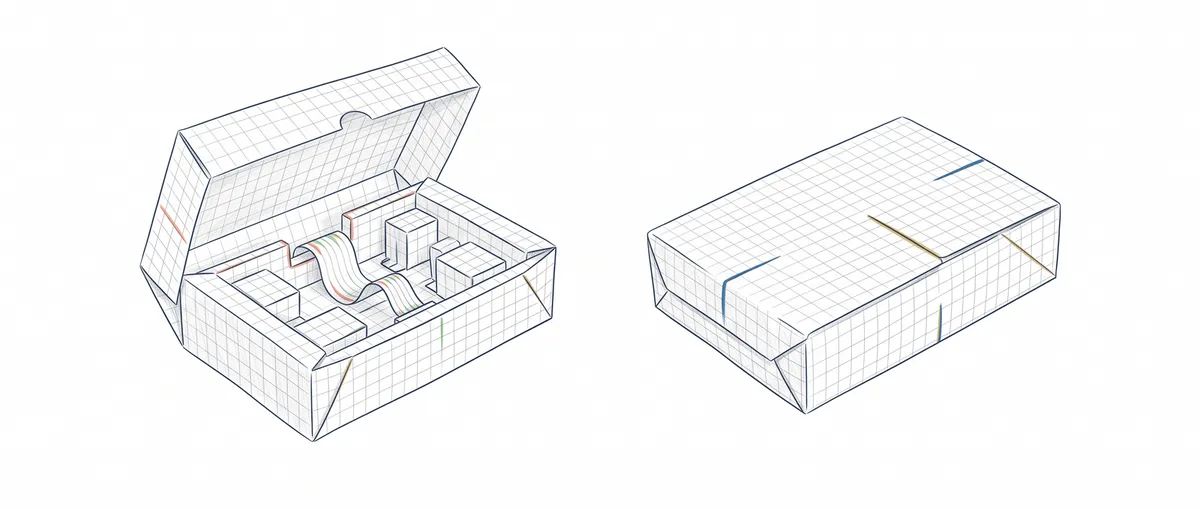
OpenCode is an open-source coding agent you can plug into almost any model, and Claude Code is Anthropic’s agent, built around the Claude models. Both read your repository, edit files, run commands and work from the terminal. What sets them apart is who controls the harness: the program that wraps the model and decides what it asks you before acting and what it does without asking.
The question that settles it is this: do you want to pick your model and own the harness, or would you rather use the harness the vendor itself tunes for its own model?
Quick comparison
| OpenCode | Claude Code | |
|---|---|---|
| License | MIT [1] | Proprietary, under Anthropic’s terms [5] |
| Models | 75+ providers, plus local models via Ollama or LM Studio, among others [2] | Claude only, via Anthropic, Bedrock, Google Cloud or Foundry |
| Authentication | Each provider’s API key via /connect; also subscriptions such as ChatGPT Plus or GitHub Copilot | Claude account with a subscription, Claude Console or a cloud provider [6] |
| Extensibility | Agents, subagents, commands, skills, MCP and JS/TS plugins | CLAUDE.md, skills, subagents, hooks, MCP and plugins |
| Permissions if you change nothing | Almost everything set to allow [3] | Auto mode with a classifier [7] |
| Entry cost | Free software; you pay the provider, or nothing with a local model | Claude subscription or API usage |
On extensibility they’re very close. The differences you’ll actually notice are which models and subscriptions each one accepts, and what each does before you’ve written a single permission rule.
What OpenCode is
OpenCode, or OpenCode CLI, is an open-source AI coding agent. You install it with npm or Homebrew and start it with the opencode command inside your project [1]. It ships with two primary agents you switch between with the Tab key: build, with full access, and plan, which doesn’t edit files and asks for permission before running commands. You connect a provider with /connect, run /init, and it creates an AGENTS.md file with your project’s instructions.
If you’re coming from Claude Code, trying it is cheap: OpenCode reads your CLAUDE.md when there’s no AGENTS.md, and it also looks for skills in .claude/skills/ [4]. You can also assign a different model to each agent: a fast one for planning and a more capable one for implementation.
Keep in mind that OpenCode 1 and OpenCode 2 coexist in the docs and use the same command. Everything here is based on version 1.
What Claude Code does differently
Claude Code runs the same agent loop, but the harness and the model come from the same vendor. If you’re new to it, start with what Claude Code is and how it works.
That coupling is literal. You can send requests to Anthropic, Bedrock, Google Cloud, Foundry or your own gateway, but the docs are clear: changing ANTHROPIC_BASE_URL changes where requests go, not which model answers [8].
In exchange, Anthropic tunes the harness for its models. The most visible part is auto mode: in current versions, terminal and VS Code sessions start in a mode where a second model, the classifier, reviews actions instead of you. If auto mode isn’t available, the session starts in Manual, which asks before almost everything [7].
Your Claude subscription isn’t allowed in OpenCode
If you pay for Claude Pro or Max, you can use that subscription in Claude Code, but not in OpenCode. It’s not a technical limit, it’s a prohibition: Anthropic’s terms reserve OAuth login with subscription plans for Claude Code and its native apps, and they don’t allow third-party developers to route requests through Free, Pro or Max credentials on behalf of their users [5].
OpenCode’s own docs acknowledge it: there are plugins that let you use Pro/Max inside OpenCode, Anthropic explicitly prohibits this, and OpenCode stopped bundling them as of version 1.3.0 [2]. To use Claude in OpenCode without breaking the terms, you pay per use: with an API key from Claude Console or through a cloud provider such as Amazon Bedrock. With ChatGPT Plus or GitHub Copilot it’s the other way around: OpenCode accepts them with no extra setup, so what you already pay for often makes the decision for you.
Permissions: what happens when you configure nothing
In OpenCode, if you don’t write any rules, most permissions are set to allow: the agent edits files and runs commands without asking. It only asks for confirmation when it touches paths outside the project or when it repeats the same tool call three times in a row, and it blocks reading .env files [3]. The first thing I’d do after installing it is lock that down:
// opencode.jsonc: pregunta antes de editar o ejecutar
{
  "$schema": "https://opencode.ai/config.json",
  "permission": {
    "edit": "ask",
    "bash": {
      "*": "ask",                // comodín primero
      "git status *": "allow",   // excepciones después
      "git push *": "deny"
    }
  }
}
Order matters because in OpenCode the last matching rule wins [3]. Claude Code works the other way around: it evaluates deny, then ask, then allow, and the first match in that order decides, regardless of which rule is more specific [9]. In Claude Code, similar rules go in .claude/settings.json:
{
  "permissions": {
    "allow": ["Bash(git diff *)"],
    "deny": ["Bash(git push *)", "Read(*.env)"]
  }
}
If you copy your rules from one tool to the other assuming they’re read the same way, you can leave open exactly what you meant to close. The rules worth writing from day one are in Claude Code permissions: the rules you should write now.
When to choose each one
You want to try several models, or your code can’t leave your machine. OpenCode, connected to a local model through Ollama or LM Studio.
You already pay for Claude Pro or Max. Claude Code, because it’s the only place that subscription is valid.
You don’t want to maintain the harness configuration. Claude Code: it starts in auto mode and, on a team, managed settings apply to everyone without each person writing their own.
You already pay for ChatGPT Plus or GitHub Copilot. OpenCode gives you a terminal agent without opening another account.
You’re learning how these agents work. Try both on the same task in the same repository. What both run under the hood, the loop that calls tools and checks its own work, we take apart step by step in the agentic patterns course.
The harness matters as much as the model
We tend to compare agents by looking at which model they run, and we forget that the same model inside two harnesses behaves differently, because what context it gets changes and, above all, so does what it can do without asking for permission. OpenCode hands you the harness to tune yourself, which reduces AI vendor lock-in; Claude Code hands it to you already tuned, which saves you configuration many people never get around to doing.
Before giving broad permissions to either one, I’d check this:
- What it does when you haven’t written any rules.
- In what order it evaluates your rules, and whether one of your
denyrules can be overridden. - Where your data goes. In OpenCode Zen, the project’s model gateway, several free models warn that during that period your data may be used to improve the model [10].
- Which MCP servers and plugins you have loaded, because an OpenCode plugin or a Claude Code hook is code that runs with your permissions.
None of these questions depends on which model is smartest this week, and they’re the ones that decide whether an agent’s mistake ends up as a diff you review or as a git push you never asked for.
Sources
- anomalyco/opencode repository: MIT license, installation, and the
buildandplanagents. - Providers, OpenCode docs: 75+ providers, local models, note on Claude Pro/Max and version 1.3.0.
- Permissions, OpenCode docs: defaults and the last-match rule.
- Rules, OpenCode docs: compatibility with
CLAUDE.mdand.claude/skills/. - Legal and compliance, Claude Code docs: applicable terms and use of subscription credentials.
- Authentication, Claude Code docs: login methods.
- Choose a permission mode, Claude Code docs: auto mode as the default starting mode since v2.1.283.
- Model configuration, Claude Code docs:
ANTHROPIC_BASE_URLchanges the destination, not the model. - Configure permissions, Claude Code docs: evaluation order deny, ask, allow.
- Zen, OpenCode docs: free models and data use.
- Transitioning Gemini CLI to Antigravity CLI, Google Developers Blog: Gemini CLI’s replacement.
Frequently Asked Questions
What is OpenCode?
It’s an open-source coding agent, MIT-licensed, used mainly from the terminal, though it also has a desktop app and an IDE extension. It works on your repository with whichever model provider you choose, including local models.
Is OpenCode free?
The software is; you pay for the models you connect, or nothing if you run one locally.
Can I use my Claude Pro or Max subscription in OpenCode?
No, because Anthropic prohibits it: its terms reserve subscription login for Claude Code and its native apps, and OpenCode removed the plugins that allowed it in version 1.3.0. To use Claude models in OpenCode you pay per use, with an API key from Claude Console or through a cloud provider such as Amazon Bedrock.
OpenCode vs Claude Code: which is better to start with?
It depends on what you already pay for and how much you want to configure. Claude Code starts with a safety net in place, because a classifier reviews actions before they run, and that’s more forgiving if you don’t yet know which rules to write, though it doesn’t spare you from writing them. With OpenCode, write your permission rules before your first real working session.
What about OpenCode vs Gemini CLI?
Google replaced Gemini CLI with Antigravity CLI and stopped serving it to users on its consumer plans on June 18, 2026 [11]. If that’s where you’re coming from, you’ll want the Claude Code vs Antigravity CLI comparison; OpenCode remains the alternative if you don’t want to tie yourself to any vendor.
Related articles
What Is Claude Code? Definition, Uses, and Examples
Claude Code is Anthropic's agent that reads your repository, edits files, and runs commands. What it is, what it's for, and how it differs from Copilot.

Claude Code permissions: the rules you should already be writing
On August 14, 2026, auto mode becomes the default mode. The six modes, the deny → ask → allow precedence, and what each lever actually guarantees.

Claude Code vs Antigravity CLI: Which One to Choose
Antigravity CLI replaced Gemini CLI in June 2026. I compare the two terminal agents against Claude Code and when each one makes sense.