
MCP vs n8n: how they differ and how they work together
MCP is a protocol that lets an agent use tools; n8n runs flows with triggers and nodes. They don't compete: when to use each one and how they connect.
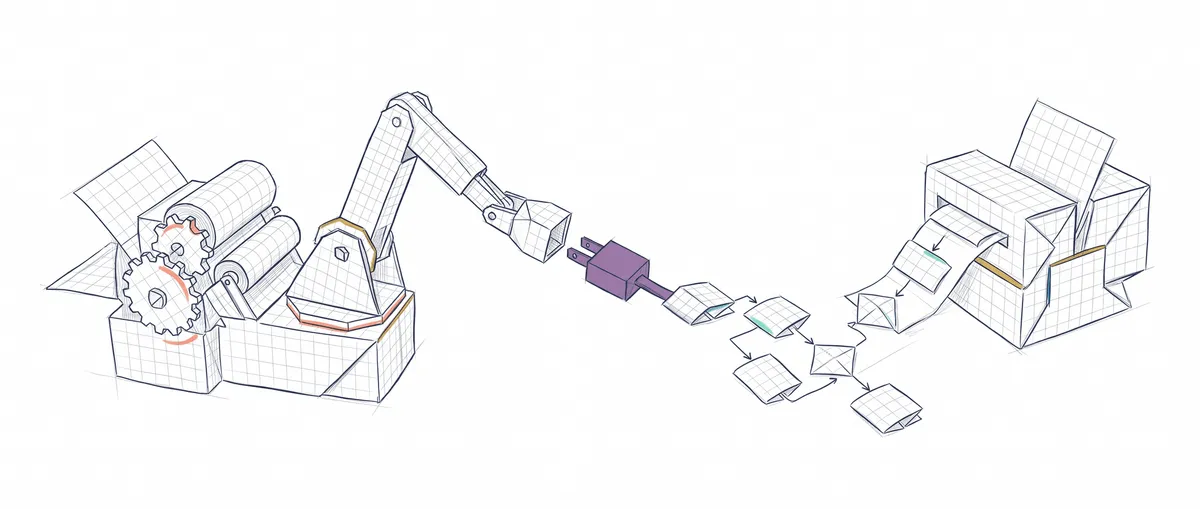
MCP and n8n don’t compete: MCP is the standard contract an agent uses to discover and call tools, and n8n is a platform that runs flows built from triggers and nodes. One doesn’t execute anything on its own; the other doesn’t define how an agent talks to its tools. And they fit together: n8n can be an MCP client and an MCP server too.
To follow along, all you need to know is what an MCP (Model Context Protocol) server is: a program that exposes tools with a name, a description and an input schema so an agent can call them. If that’s new to you, start with what MCP is and how it works under the hood. The comparisons with a REST API, with RAG, with skills and with A2A are already covered in MCP vs API, MCP vs RAG, MCP vs Skills and MCP vs A2A.
What each one is, row by row
| MCP | n8n | |
|---|---|---|
| What it is | A protocol: it defines messages between a client (the agent) and a server (the tools) | An automation platform with a visual editor and an engine that runs workflows |
| What it executes | Nothing by itself. The server executes the tools when the agent calls them | Every node in the flow, in the order you drew them |
| Who decides the next step | The model, which picks which tool to call and with which arguments | The flow. The model only decides if you add an AI Agent node |
| How it starts | When the agent decides to call a tool | With a trigger: a webhook, a schedule, a new email, an event from another app |
| What you get | A standard way to connect tools to any compatible agent | Ready-made integrations, retries, execution history |
The row that settles it is the third one.
The useful question: who picks the next step?
If you know the path in advance, you want a flow. “When a form comes in, save it to the spreadsheet, classify it with an LLM and ping Slack if it’s urgent” has fixed steps; the LLM weighs in on one of them, but it doesn’t decide what comes next. That’s n8n on its home turf: it starts on its own with a trigger and logs every execution so you can review it when something fails.
If the path depends on what the user asks at each moment, the model is the one choosing, and what you need there is to give it well-described tools. “Find this customer’s order and, if it’s delayed, offer them a discount” might take two calls or five. That’s an agent with tools, and MCP is the standard way to hand them over.
I cover the difference between following a rule and applying judgment in generative AI vs classic automation. Here the question is more concrete, because n8n and MCP aren’t alternatives: they connect from both sides.
How MCP works in n8n: client and server
n8n speaks MCP in both directions: it consumes MCP servers and publishes its workflows as an MCP server.
n8n as an MCP client (MCP Client Tool)
To use MCP in n8n as a client, the MCP Client Tool node connects an MCP server’s tools to n8n’s AI Agent node[1]. You give it the server URL, choose the authentication (Bearer, one or several headers, OAuth2 for MCP, or none) and decide which tools to expose to the agent: all of them, or a selection that includes or excludes tools by name. Calls have a configurable timeout that defaults to 60 seconds.
The limit worth knowing before you start: the node only talks to remote servers. It supports HTTP Streamable and SSE, two ways of talking to a remote server over HTTP; the node itself flags the second one as deprecated, and HTTP Streamable has been the default since version 1.114.0[1][3]. There’s no option to launch a local server over stdio, the mode in which, for example, Claude Code starts the server as a process on your machine.
If you don’t want an agent and just need to call a specific tool as one more fixed step, there’s another node, MCP Client, which n8n describes as a standalone MCP client: you pick the tool and pass it the parameters by hand or as JSON[1].
n8n as an MCP server (MCP Server Trigger)
The MCP Server Trigger node goes the other way: it publishes the tools you connect to it as an MCP server[2]. The most useful piece to plug into it is the Call n8n Workflow Tool node, which turns another workflow into a tool. That way, a flow you already have running, say “add a customer to the CRM”, becomes a tool that an external agent can discover and call.
In the configuration you define a path and the authentication: none, Bearer or header, and since version 2 of the node (n8n 2.27.0) also OAuth2 with your n8n account[2][3]. There’s a test URL (under /mcp-test/) and a production URL (under /mcp/), which only responds once you publish the workflow.
It’s not the only route: n8n also has an instance-level MCP server, which you turn on in the settings and which lets you mark workflows as available one by one[3].
To connect it from Claude Code, this is the command. The URL is an example: copy the production one the node shows you.
# Register the n8n workflow as a remote MCP server in Claude Code
# --transport http: HTTP Streamable, the recommended one of the two the MCP Server Trigger accepts (the other is SSE)
# -H: authentication header, only if you configured Bearer Auth on the node
claude mcp add --transport http n8n-crm \
  https://your-n8n-instance.example.com/mcp/alta-cliente \
  -H "Authorization: Bearer YOUR_TOKEN"
From then on the agent decides when to use your workflows, and n8n logs each execution like any other[2].
When one of the two is enough
n8n is enough when the process has fixed steps and a clear trigger, even if some step uses an LLM. The five flows in AI automation without coding are of this kind, and none of them needs MCP.
An MCP server is enough when you already work with an agent (Claude Code or one you wrote yourself) and want to give it access to a system. Writing a small MCP server is usually more direct than setting up an n8n instance just for that.
You want both when you have processes already solved in n8n and an agent that should be able to launch them, or when an agent inside n8n needs tools that someone already published as an MCP server. Deciding which layer owns each responsibility, the fixed flow’s and the choosing model’s, is exactly what you practice in the agentic patterns course.
Sources
- MCP Client Tool and MCP Client, in the n8n source code: transport options, authentication, tool filter and default timeout.
- MCP Server Trigger, n8n source code: node description, authentication methods and path.
- n8n CHANGELOG: versions in which the MCP nodes and their transports were added, the MCP Server Trigger’s OAuth2 authentication (2.27.0) and the instance-level MCP server (present since 1.108.0;
availableInMCPfilter in 1.111.0).
Frequently Asked Questions
Can I connect an MCP server that runs locally over stdio to n8n?
Not directly with the MCP Client Tool node, which only offers HTTP Streamable and SSE. You need that server exposed over HTTP at a URL your n8n instance can reach; if the server has an HTTP mode in addition to stdio, that’s the short path.
Since which n8n version are there MCP nodes?
MCP Client Tool and MCP Server Trigger arrived in 1.88.0, in April 2025, both SSE-only at first. MCP Server Trigger added HTTP Streamable in 1.99.0 and MCP Client Tool in 1.104.0.
Is the MCP Client node the same as MCP Client Tool?
No. MCP Client Tool hooks into an AI Agent node, and the model decides which tool to call. MCP Client is a regular step in the flow that always calls the tool you picked when configuring it, with the parameters you pass it.
Do I need the MCP Server Trigger to expose workflows to an agent?
No. The MCP Server Trigger is the route you configure inside the workflow itself. Since 2025 n8n also has an instance-level MCP server, in the settings, with a per-workflow toggle to mark it as available[3]; it can save you from setting up a trigger for every flow.
Related articles

What is MCP: the protocol connecting AI agents with tools
MCP (Model Context Protocol) standardizes how AI agents connect to external tools. Explanation with line-by-line commented Python examples.

MCP vs API: differences and when to use each one
MCP doesn't replace your REST API: it wraps it so an agent can discover its tools on its own. Comparison and when to use MCP, API, RAG, or function calling.
AI Automation Without Code: 5 Real Workflows to Get Started
How to build AI automations using Zapier, Make, or n8n. Five real workflows, comparison table, and a framework for choosing your first automation.